A workshop needs capacity at a glance, so they know early whether Saturday's class will run.
 Their calendar: Heatmap
Welcome to part 1 of our year-end announcements. We've been quietly building a lot, and we're starting with the screen you open more than any other: your calendar.
Why we rebuilt it
For years, Baluu had one schedule calendar. Then we added Day, Week and Month, and worked hard to make them good enough for everyone. They never were, and they never could have been. We were answering the wrong question.
We kept asking “how do we squeeze as much information as possible onto one screen?” But a workshop, a tour operator and a rental company don't want more information. They want different information, from the same bookings.
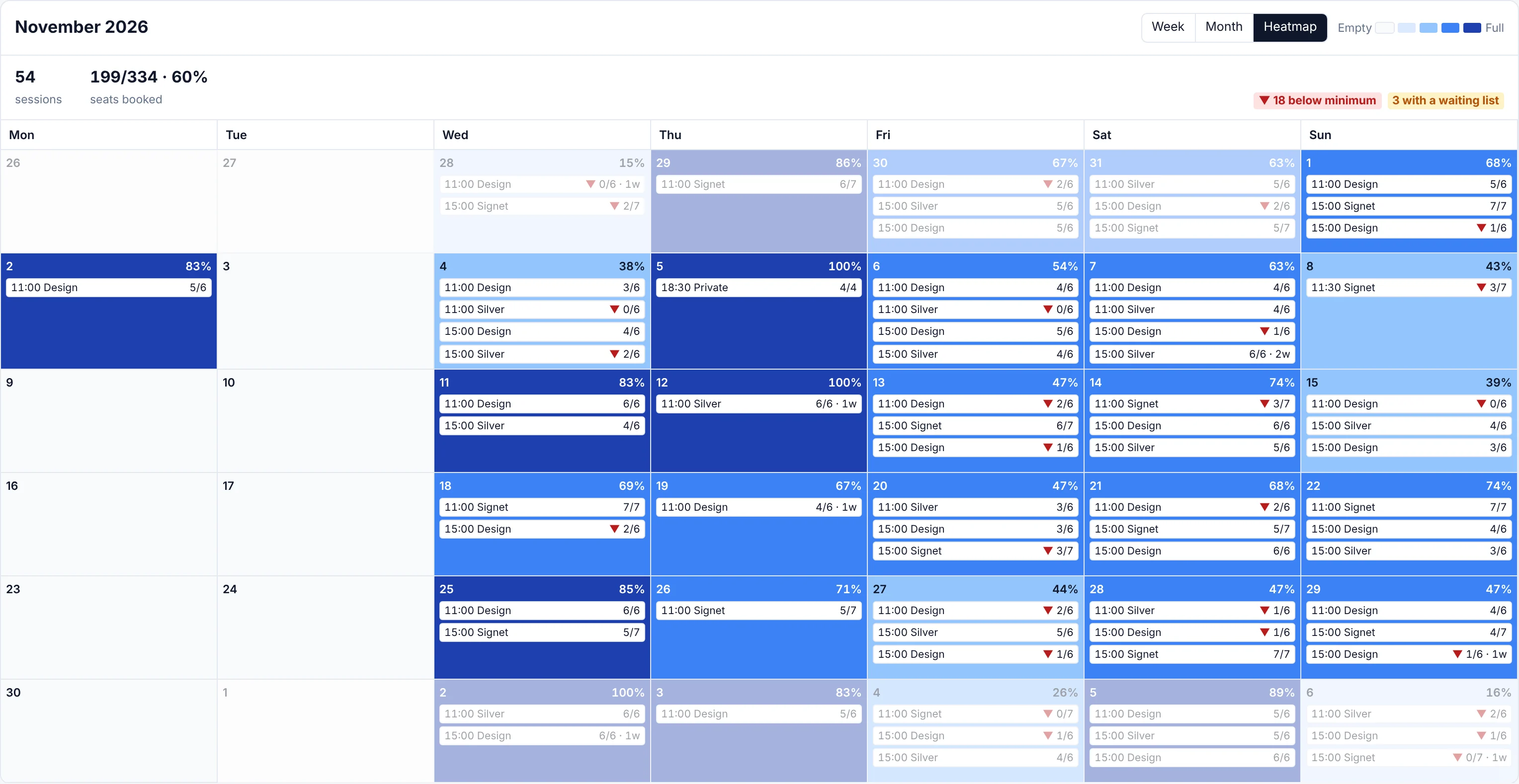
A workshop needs capacity at a glance, so they know early whether Saturday's class will run.
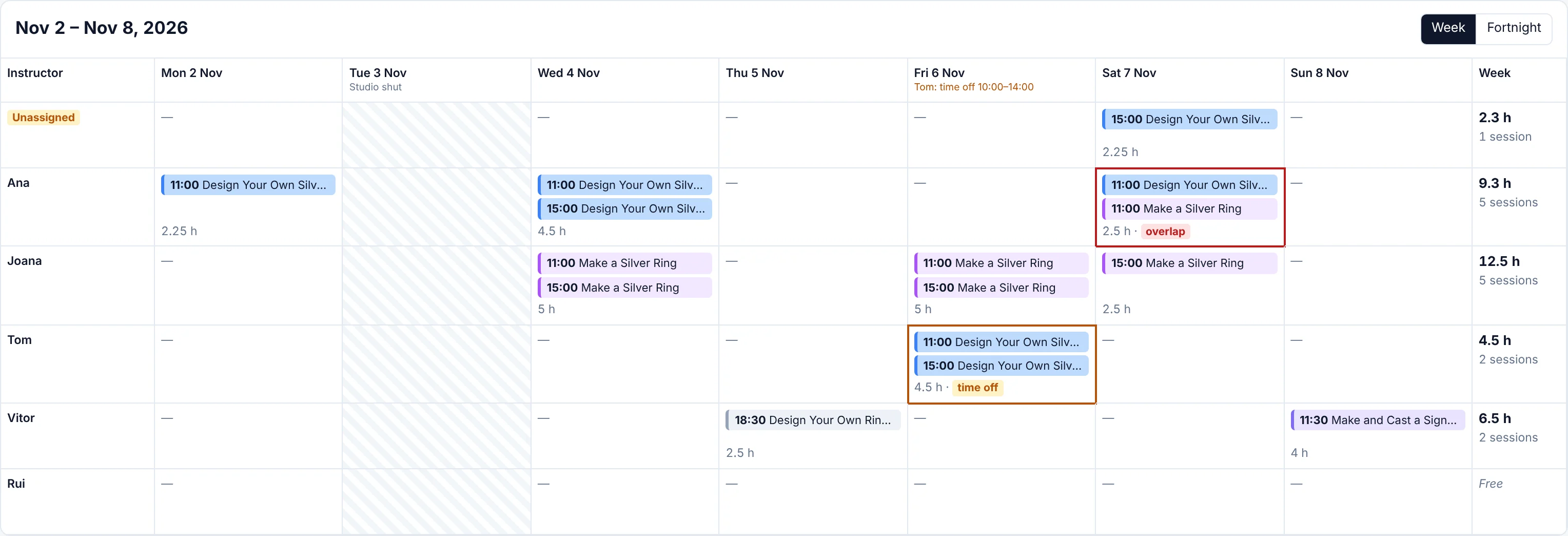
Their calendar: HeatmapA tour operator needs a run sheet: what starts when, who's on it, who's leading it.
 Their calendar: Table
A rental company needs every bike, room or kayak down the side and the hours running across.
 Their calendar: Timeline
It goes deeper than business type. Give two pottery studios the “perfect” workshop calendar and they'll still want different things, because people are people. Even inside one team, the front desk wants today's Day view to run the doors, while the manager wants the whole month. One calendar can't serve all of them. So we stopped trying.
What we did instead
Rather than guess what your calendar should look like, we built the pieces and handed them to you. Mix them, then save the result as a view, just for you or for your whole team.
Filters
which sessions you see
Calendar type
how you see them
Settings
what each session shows, and its colour
Your view
Yes, setting up your first view takes a few minutes. After that, your calendar works the way you think, every day.
Year-end 2026 · Part 1 of 8
Change anything on the calendar (the type, the filters, the colours) and a bar slides up showing exactly what changed. One click saves it as a new view or updates the one you're on.
Team defaults
Owners and managers set the calendar everyone starts from. Staff can't break it by accident, and they're free to save their own personal views.
Undo, always
Saved something by mistake? Undo it straight away.
Nothing lost
Already customised your calendar? We've kept your setup as a personal view called “My calendar”, so tomorrow it looks exactly like it did today.
Alongside Schedule, Day, 4 Days, Week and Month, there's now a More types menu. Pick a type, tune it, save it as a view.
Your whole month in one glance. Every day is shaded by how full it is, every session shows booked against places, and a ▼ flags anything below the minimum it needs to run. Spot the quiet sessions while there's still time to fill them.
The classics got a serious upgrade too.
A three-hour workshop now looks three hours long. Overlapping sessions sit side by side, empty hours fold away, and a red line shows exactly where “now” is.
Time, listing and seats for every session, plus how busy each day is, without hovering over a single thing.
On your phone, tap any day and it slides up from the bottom. No scrolling, no hunting.
A summary strip shows sessions, seats booked and revenue for whatever's on screen, plus chips for anything that needs you. Click a chip to see just those.
Revenue is only shown to senior staff.
Colour sessions by listing, instructor, location or how full they are. With fill colours on, your quiet sessions jump right out.
Click any empty slot and a new session opens with the listing, date and time already filled in.
Group the Day view by instructor or location, and a double-booked person or room stands out straight away.
Grab a session, drop it at the new time, and choose whether to email everyone booked on it. Changed your mind? You've got a few seconds to undo before any email goes out.
On desktop.
Not in the mood to click? Ask Daniel, your AI assistant, and get the answer in seconds.
Daniel
Your AI assistant
Open your calendar, pick a type, and save your first view. Then tell us what you built. We read every reply, and the best ideas end up in the product.
That's part 1 of 8. Part 2 is coming soon, and trust us, you won't want to miss it. 👀
— Vitor and the Baluu team
See all updates