-2.png)
If you run a business managing appointments, classes, or workshops, using the right custom booking software can be a game changer. Baluu is an online booking system built specifically for creators, coaches, teachers, and organisers who want to simplify their booking process and save valuable time — without the hefty price tag. Baluu is designed to be user-friendly, even for those who are not tech savvy.
Below are ten powerful but lesser-known features that can help you save time, boost bookings, and improve the customer experience. Baluu offers an intuitive booking journey for both clients and staff, making it easy to book appointments and manage schedules. Customers can book appointments from any mobile device for added convenience. By making it simple for clients to book online, Baluu helps businesses attract more customers and expand their client base.
1. No Monthly Fees – Pay Only When You Get Bookings
Baluu is completely free to use. There are no setup costs or monthly subscription fees. You only pay a small commission when someone books with you.
- Test all features with no commitment
- Ideal for seasonal, growing, or part-time businesses
- Scales with your success
Learn more about how pricing works here .
2. Customer Accounts for Easy Access and Self-Management
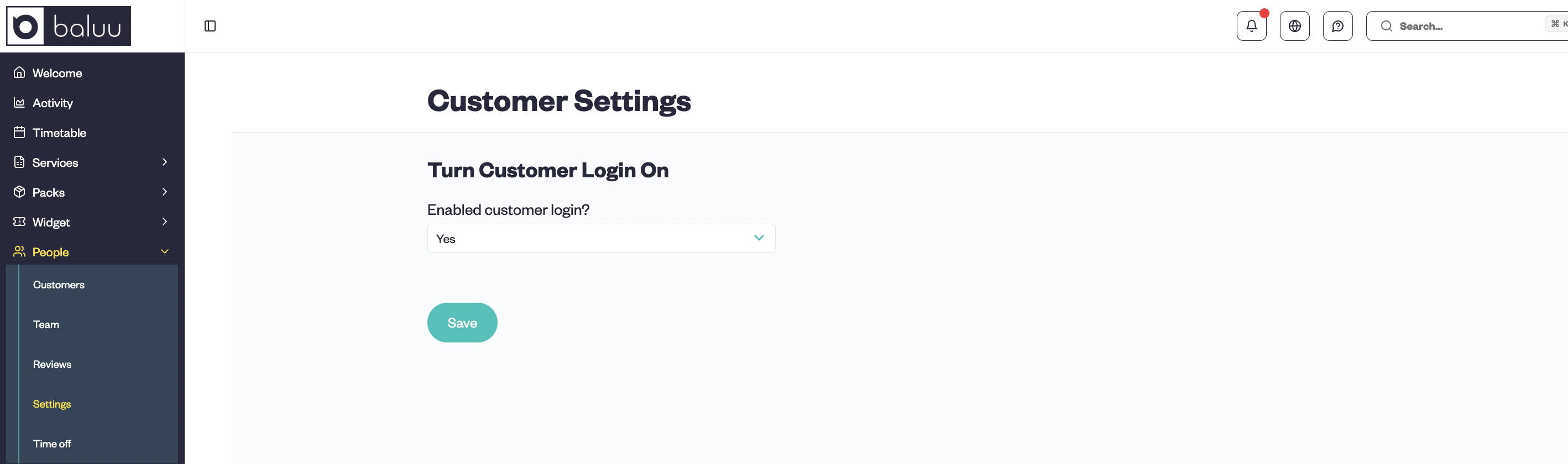
Let your customers take control of their bookings. When customer accounts are enabled, clients can log in from any device to:
- View upcoming and past sessions
- Reschedule or cancel in line with your policy
- Schedule appointments directly through their account
- Reduce the number of messages you need to handle
This puts customers in control while saving you time. Self-service features also reduce the need for manual data entry by staff.
To enable customer accounts in Baluu, go to the 'People' section, select 'Settings', and for the question “Enable customer login?” choose 'Yes' and save your changes.
3. Automated Confirmations and Reminders to Reduce No-Shows
Once a booking is made, Baluu sends confirmation messages and automated reminders via email. These timely notifications include automated reminders for upcoming appointments, helping to reduce missed appointments and last-minute cancellations.
4. Add-Ons at Checkout – Offer Extra Services During Appointment Bookings
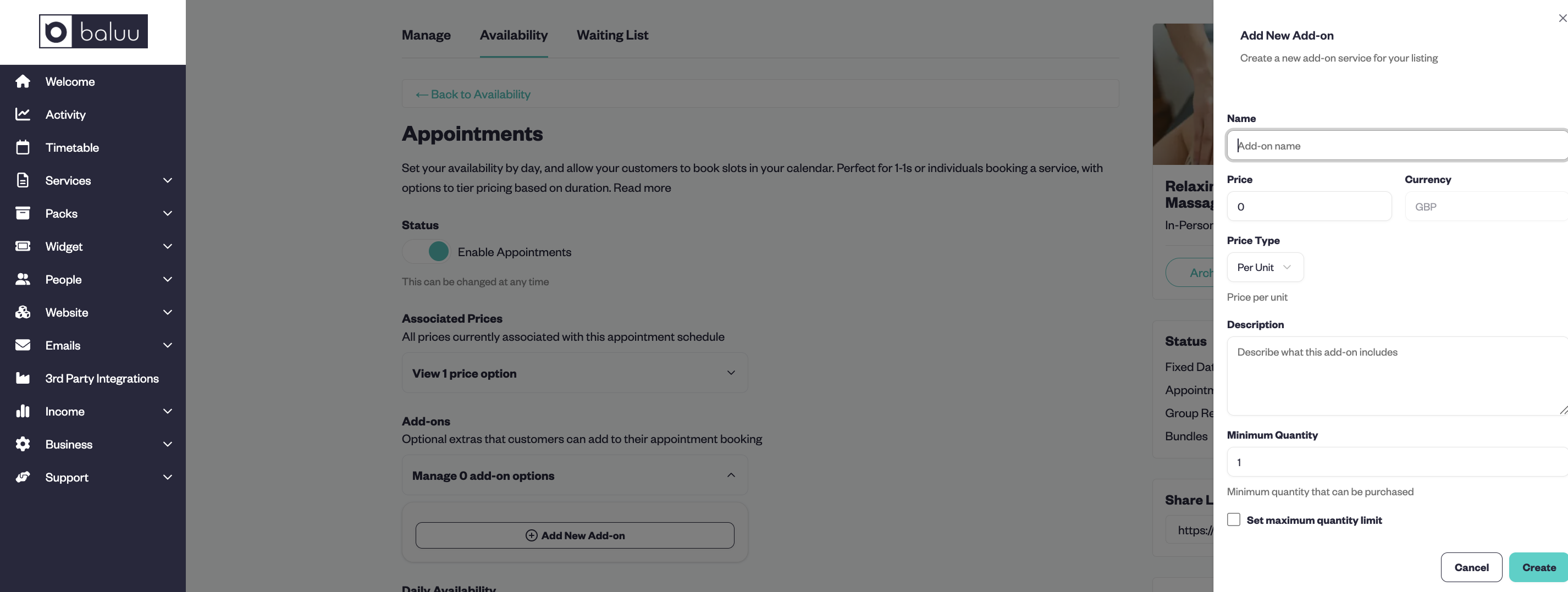
With Baluu’s Appointment Availability, you can offer specific services as optional add-ons during checkout — such as one-on-one follow-ups, equipment hire, or any additional service related to the appointment.
Customers can:
- Select add-ons when booking their appointment
- See clear pricing and details
- Pay for everything in one smooth transaction
Baluu allows you to offer and accept bookings for services online, making it easy for clients to reserve additional options directly through your website or booking page.
To add add-ons, go to the 'Availability' section, select 'Appointments', click on 'Add New Add-On', fill in the details, and click 'Create'.
This feature is only available for Appointment Availability and helps increase booking value without adding extra admin work.
5. Flexible Cancellation and Refund Policies
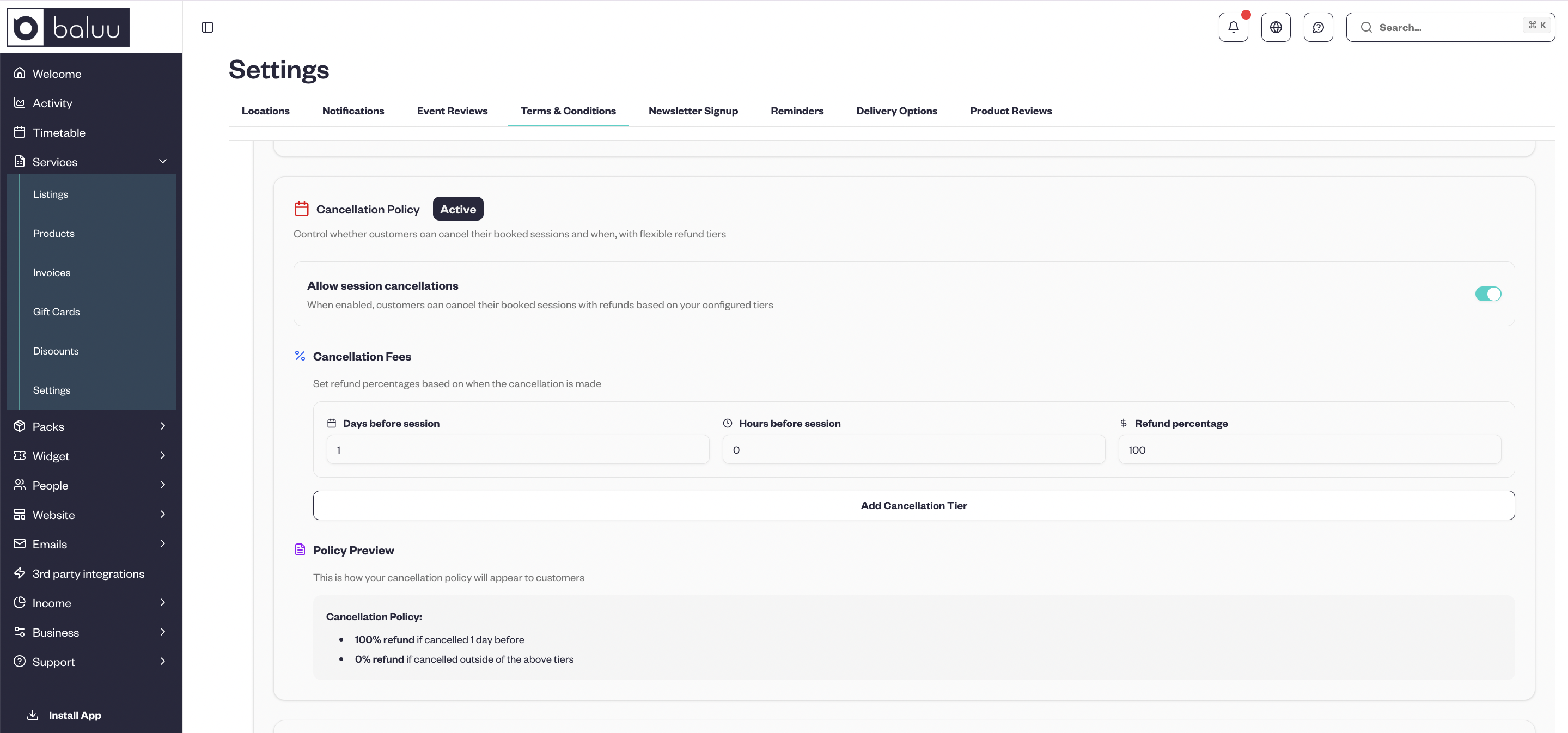
You’re in full control of your cancellation and refund rules. Baluu lets you create multiple cancellation tiers with different refund percentages based on how far in advance a customer cancels. Clients can easily cancel appointments directly through the platform, providing convenience and real-time control over their bookings.
For example, your cancellation policy could look like this:
- 100% refund if cancelled 10 or more days before the session
- 70% refund if cancelled 4 to 9 days before the session
- 30% refund if cancelled 2 to 3 days before the session
- 0% refund if cancelled less than 2 days before the session
You can customise the number of tiers, the days before cancellation, and the refund amount to suit your business needs perfectly. These policies are communicated clearly and automatically to customers during booking and cancellation, helping manage late cancellations and reduce revenue loss.
To update your reschedule and cancellation policy, go to the 'Services' section, select 'Settings', and click on 'Terms and Conditions'. There you’ll be able to manage it all — don’t forget to save your changes!
6. Waitlist and Real-Time Availability Updates
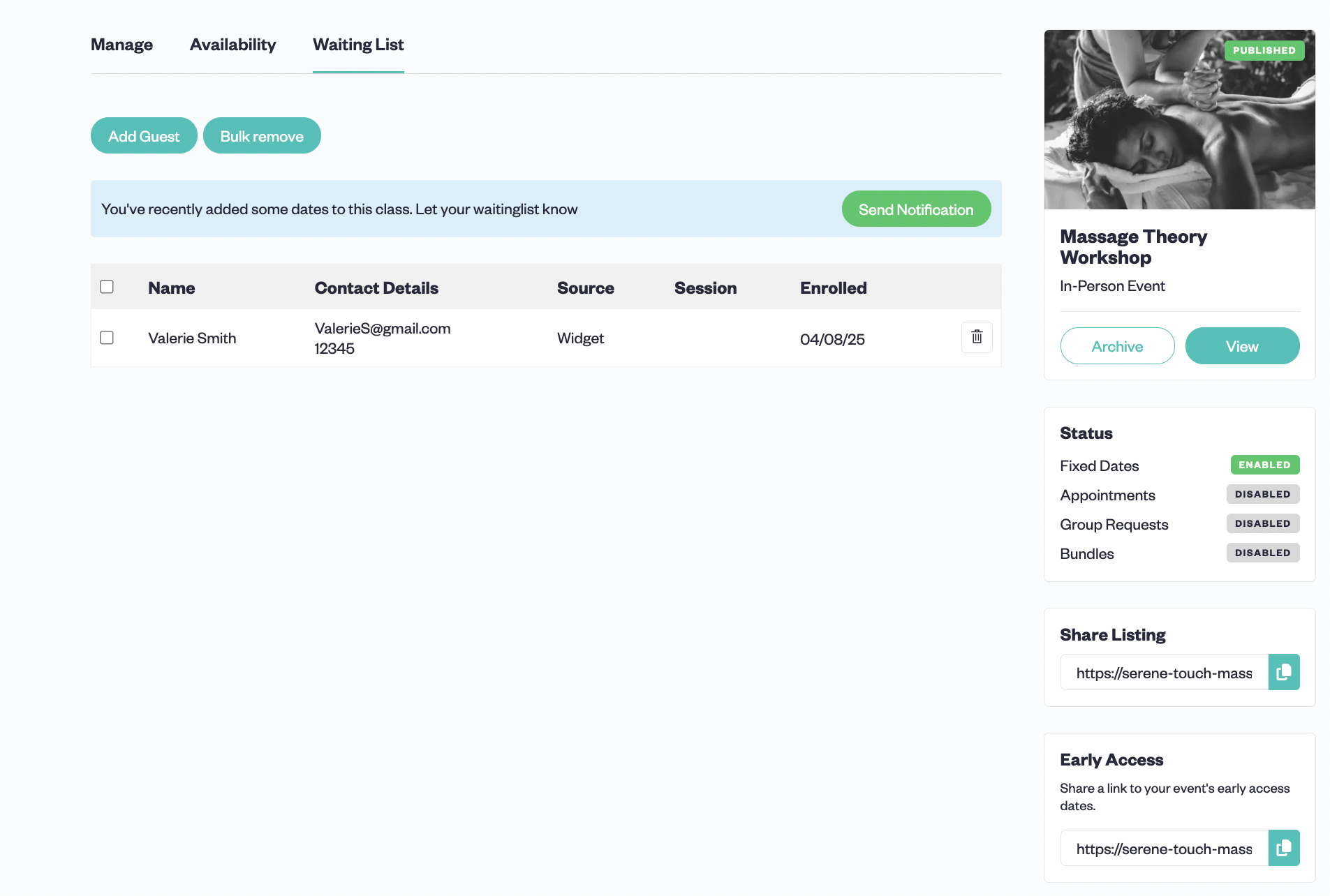
Baluu helps you avoid empty slots by allowing customers to join a waiting list when all available slots are filled. Clients can view available slots and select their preferred time slots, ensuring a smooth booking experience.
If customers can’t make any of the available dates, or if the event is full, they can join the waitlist. If new dates are added or you increase the number of available spots for a session, those on the waitlist will be notified immediately — helping you fill up sessions faster.
7. Email Dispatch Centre – See Exactly What Your Customers Received
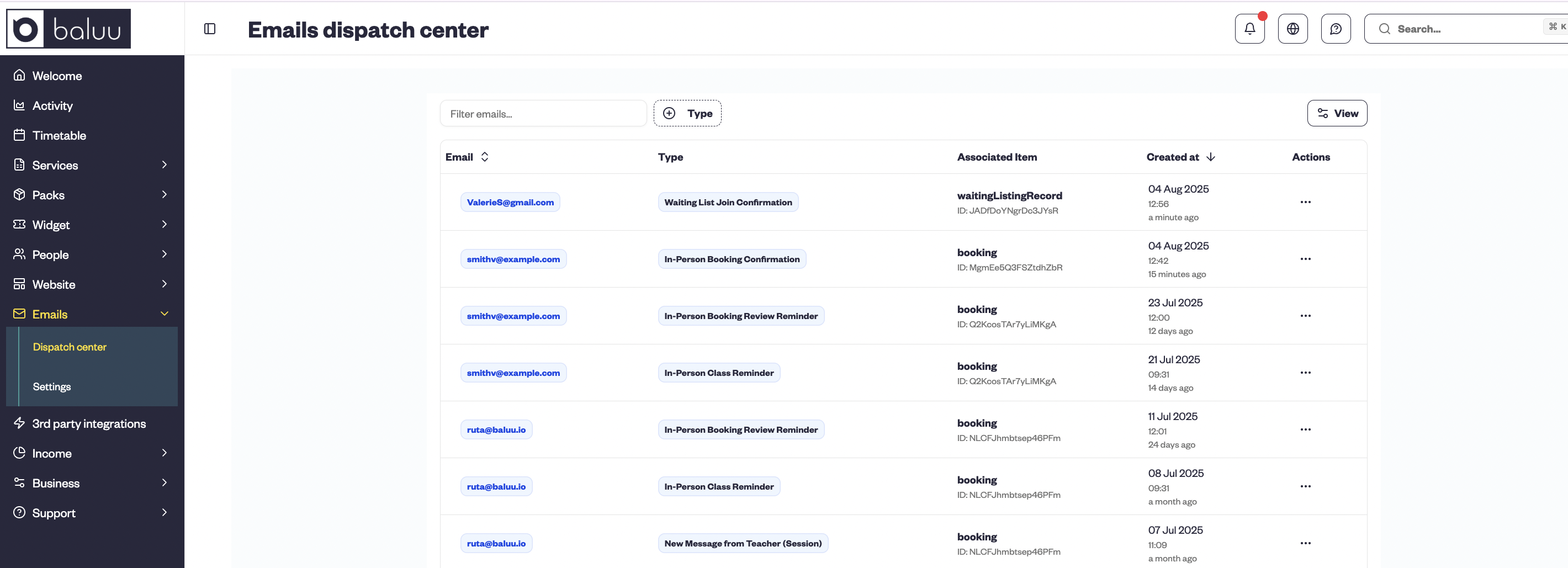
If a customer claims they didn’t receive a confirmation or reminder, you can quickly check the Email Dispatch Centre. It shows:
- What was sent
- When it was sent
- The exact content of the message
This feature allows you to quickly resolve confusion and keep communication transparent.
8. Review Management – Respond or Remove Inaccurate Feedback
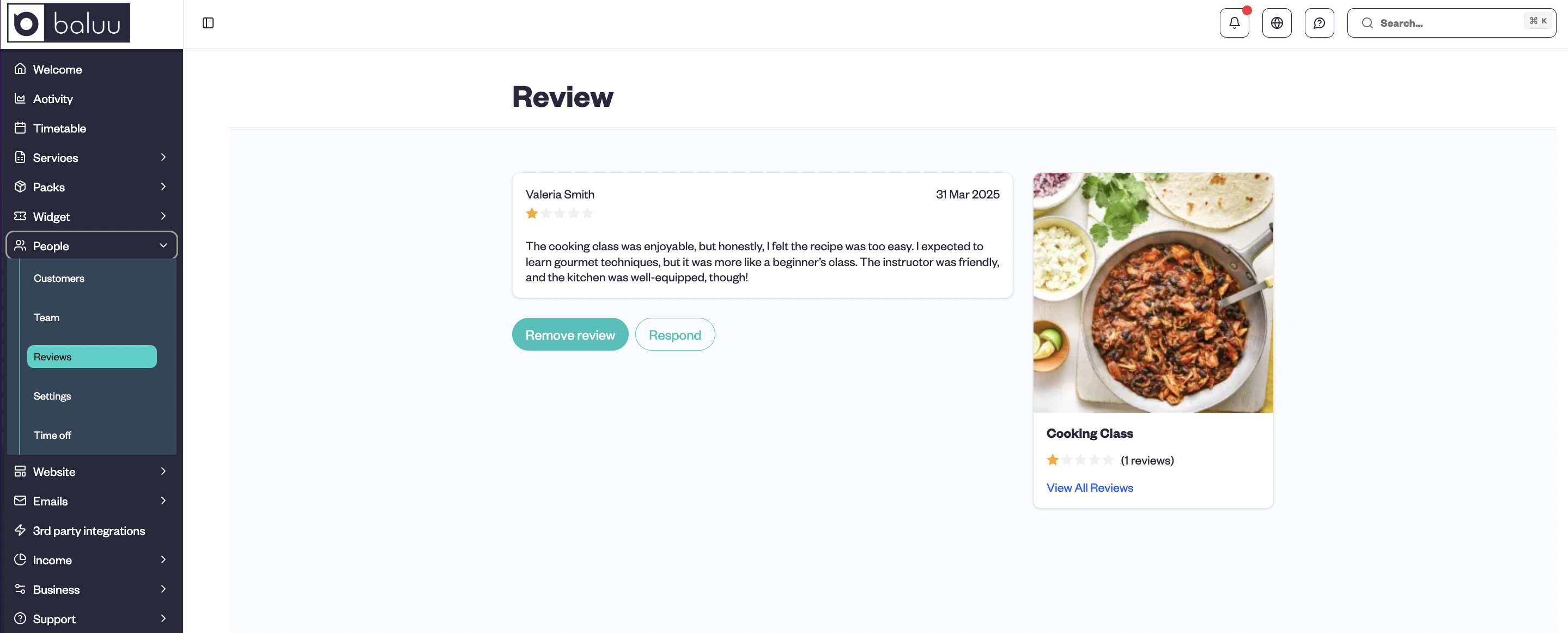
Sometimes a review doesn’t reflect the true experience. Baluu gives you the ability to:
- Respond to reviews to clarify the situation
- Remove inappropriate or misleading reviews
This helps protect your reputation while reducing the time spent managing disputes.
To manage reviews, go to the 'People' section and click on 'Reviews' — from there, you can view, respond to, or remove feedback as needed.
9. Custom Holiday & Business Hours Blocks
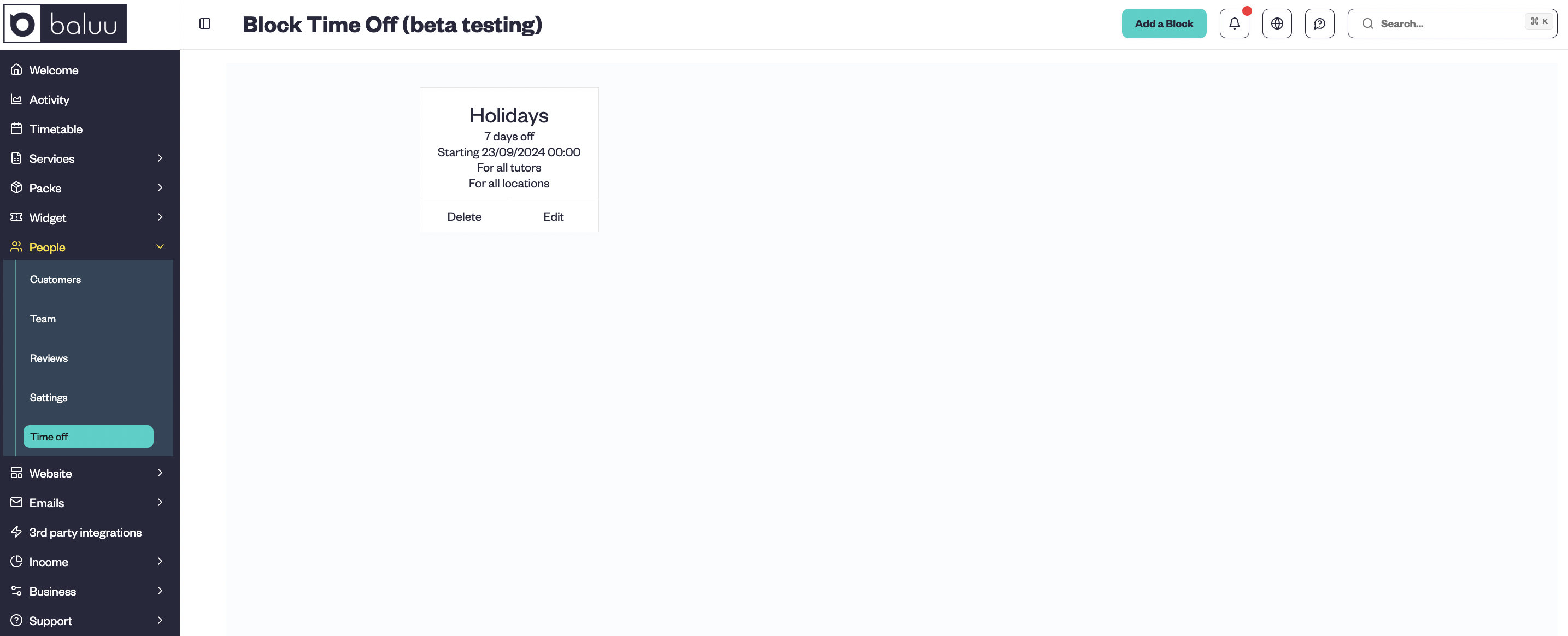
Block out holidays, days off, or custom working hours directly in your schedule. Baluu automatically prevents bookings during these times — no need to adjust each service manually.
These features support resource management and staff management by allowing you to coordinate schedules across multiple locations, ensuring staff and resources are efficiently allocated.
It’s a small feature that helps you stay organised and avoid accidental bookings.
To add time off, go to the 'People' section, select 'Time Off', and click the 'Add a Block' button in the top right corner. Then simply enter the details and save.
10. Dynamic Management of Group Bookings and Recurring Appointments
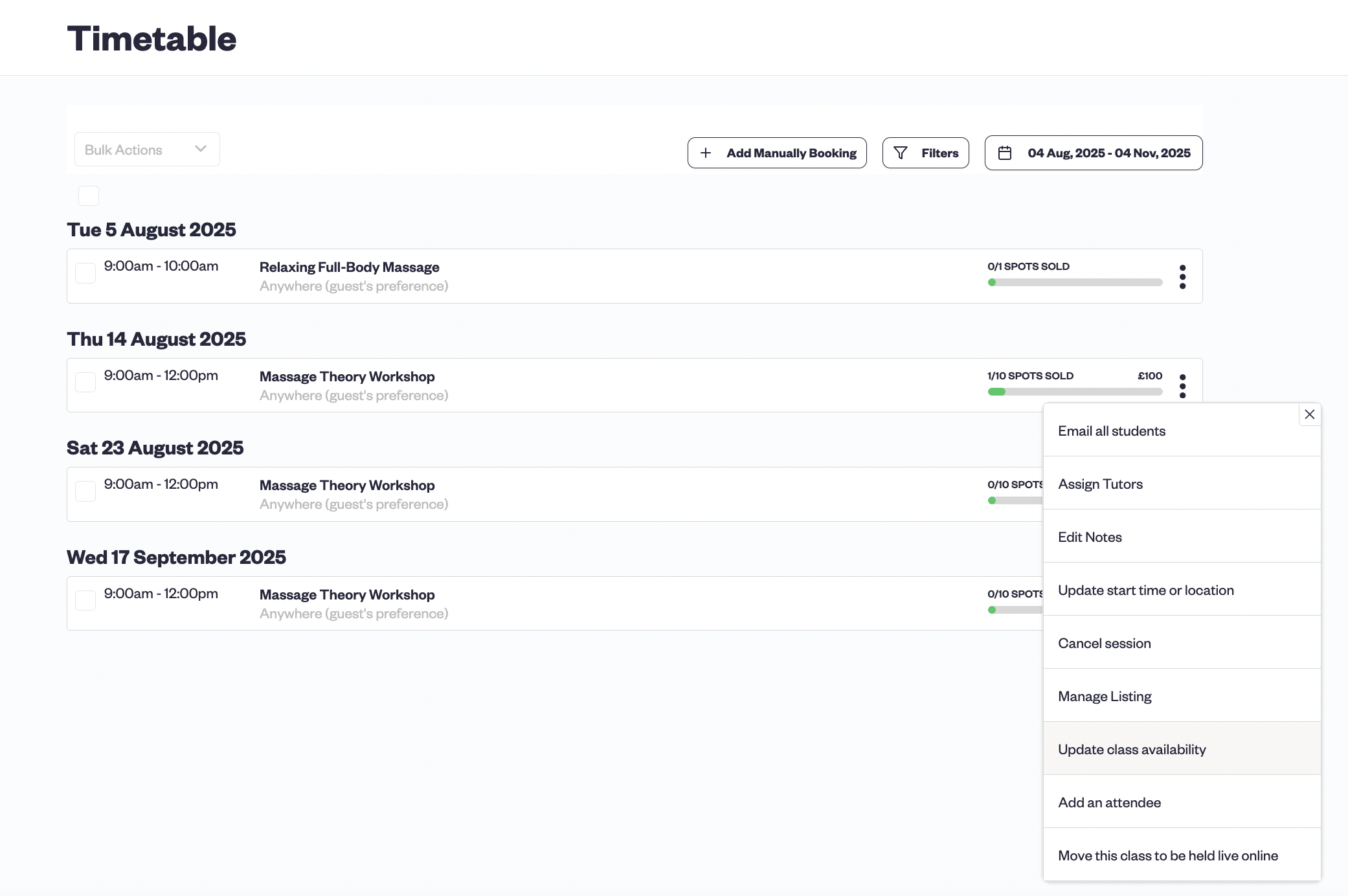
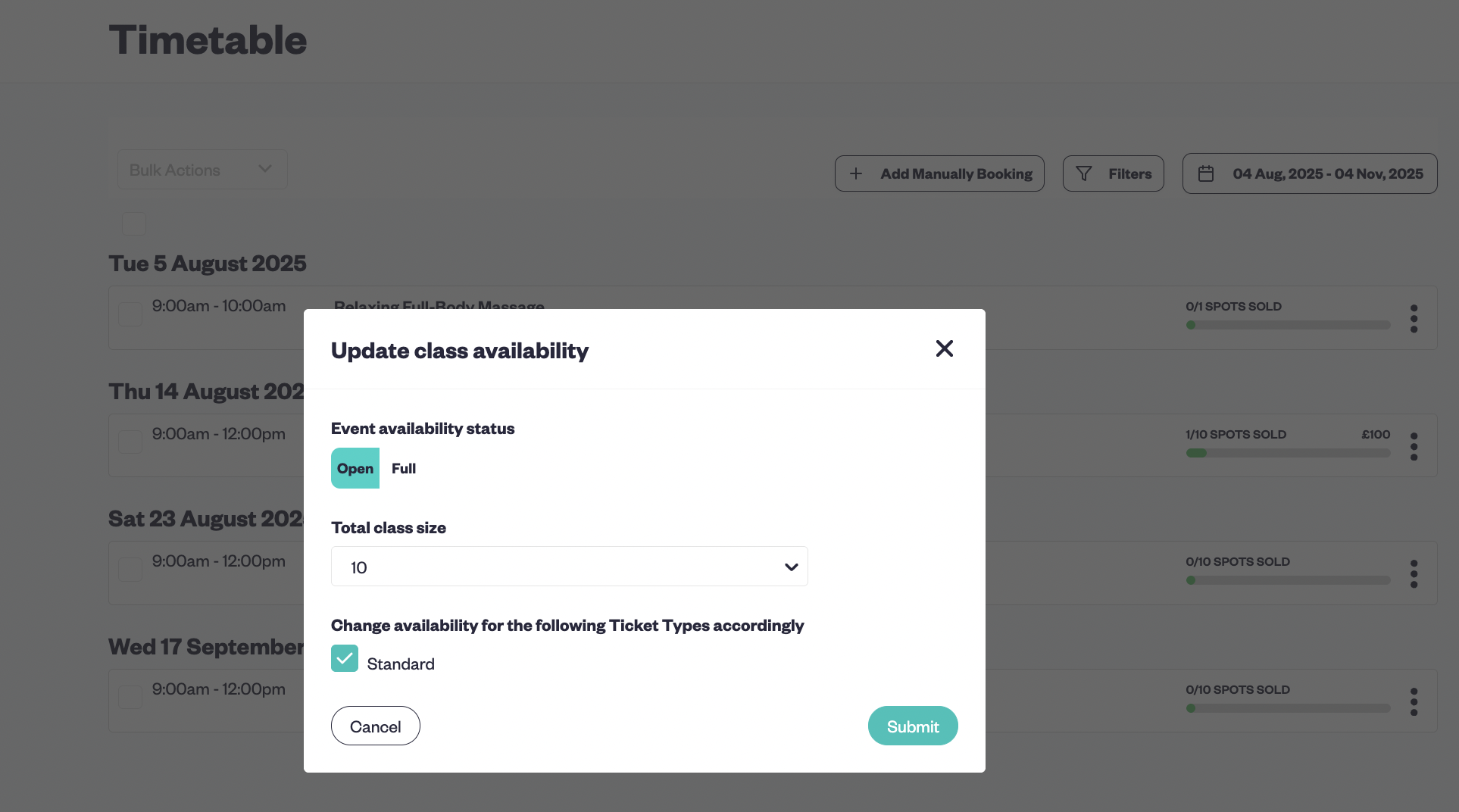
Whether it’s a group class, group session, or a recurring session, Baluu supports group sessions and meeting scheduling for various appointment types. You can change session capacity or scheduling details without cancelling or reopening the entire series.
Need to add more spots to a class, extend a term, or manage booking appointments? Baluu’s advanced features allow for flexible booking appointments, and appointment scheduling software simplifies the management of group and recurring sessions, making it simple and efficient.
Ready to simplify your bookings, save time, and grow your business? You can get started with Baluu for free — and only pay when you get bookings.
Written by
Ruta Jogminaite
Expert in booking systems and appointment-based business optimization.
More to explore
Continue Reading

How Can I Reduce Booking Calls and Messages Without Hiring More Staff?
Learn how to reduce booking calls, messages and front-desk admin using online self-service, automation and AI booking assistants like Baluu’s Junno — without losing the personal touch.
I Already Have a Website — How Do I Add an Online Booking System?
Learn how to add an online booking system to your existing website without rebuilding it. Explore booking integrations, online payments, classes, appointments and how Baluu can help simplify bookings.

Best Booking Software Without Expensive Monthly Fees: What Are Your Options in 2026?
Discover affordable booking software without expensive monthly fees. Compare free, pay-as-you-go and subscription options, learn what features to look for, and see how Baluu combines online bookings with AI-powered assistance.