What Information Should I Ask Customers for When They Book Online?
Learn what information to collect during online booking, from customer and attendee details to custom questions, allergies and marketing consent — without making your checkout unnecessarily complicated.
Ruta Jogminaite
24 September 2026
Every extra field adds friction to your booking process.
Ask too little and you may find yourself chasing customers for important information before a class or activity. Ask too much and you can turn a simple booking into a long form that customers would rather not complete.
The goal isn't to collect as much information as possible. It's to collect the right information, from the right person, at the right point in the booking journey.
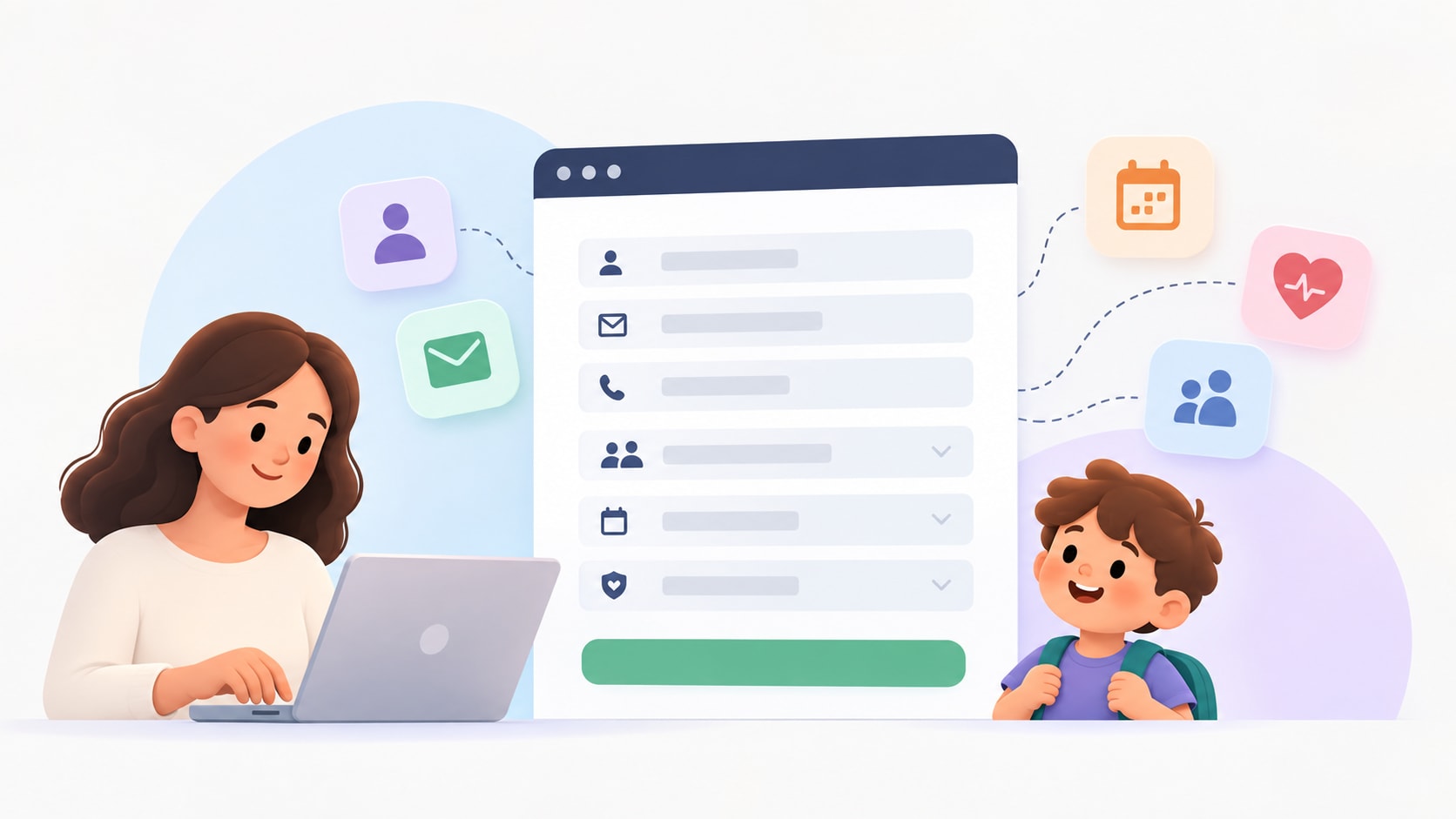
For businesses running classes, workshops, courses, activities and appointments, one distinction makes this much easier: the person making the booking isn't always the person attending.
What information should I collect when someone books?
For most online bookings, start with the information you actually need to process the booking and communicate with the customer.
That will commonly include:
Name
Email address
Phone number
From there, additional information should depend on what you're selling and who is attending.
A pottery workshop may need very little additional information. A children's activity may need details about each child attending. A cooking class might need relevant allergy or dietary information.
Rather than creating one enormous booking form for everyone, think about your information in three categories:
Customer information → Attendee information → Booking-specific information
This is also how Baluu's Data Model approaches booking information.
What's the difference between the customer and the attendee?
The customer is the person making the booking.
The attendee is the person actually taking part.
Sometimes they're the same person.
If someone books themselves into a pottery workshop, for example, they're both the customer and attendee.
But imagine a parent booking three children into a holiday activity. The parent is the customer, while the three children are the attendees.
That distinction matters because you probably need the parent's email and phone number once — but you might need the name, age or other relevant information separately for each child.
A good booking form shouldn't repeatedly ask the buyer questions that actually relate to the people attending.
What are Customer Fields?
In Baluu, Customer Fields are questions about the person making the booking.
Baluu's standard checkout collects:
Name
Email
Phone number
Businesses can then add other Customer Fields when they need additional information that applies to the overall booking.
For example:
How did you hear about us?
Do you have any special requirements?
Is there anything else we should know?
These questions are answered by the person making the booking and aren't repeated for every attendee. Baluu saves Customer Fields to the customer's profile.
This makes Customer Fields useful for information about the buyer or booking as a whole, rather than information you need separately for everyone attending.
What information should I ask about each attendee?
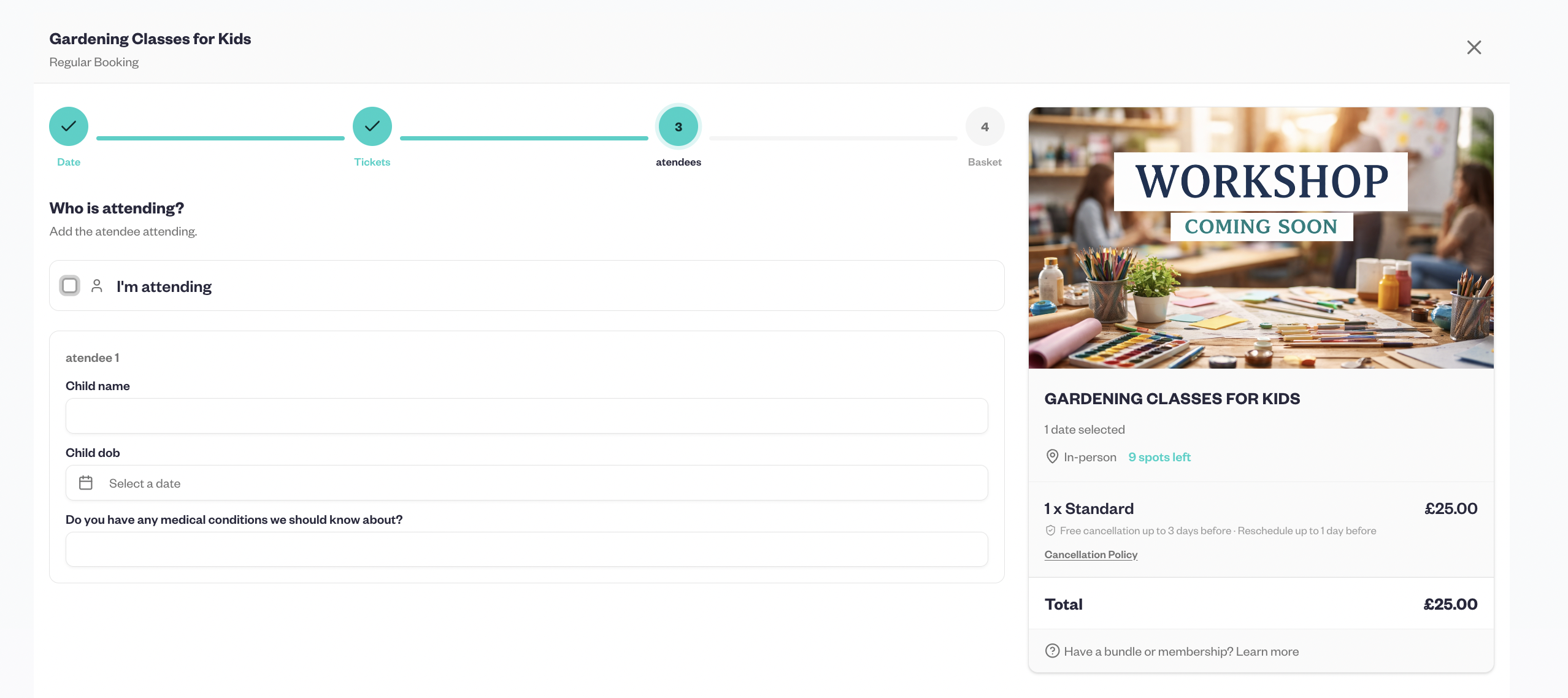
If you need information about the people actually participating, collect it at attendee level.
Depending on the type of business, this might include:
Attendee name
Date of birth or age
Relevant allergies or dietary requirements
Accessibility or additional support requirements
Emergency contact information
Experience or ability level
You shouldn't collect all of these simply because you can.
Ask yourself:
Do I genuinely need this information to provide this particular activity or service?
A children's sports activity and an adult craft workshop don't need identical booking forms.
This is particularly important for sensitive information. Health or medical information should only be collected where appropriate and necessary for the service, with the business considering its applicable privacy and data-protection obligations.
What should I ask when a parent books for a child?
Children's activities are one of the clearest examples of why customer and attendee information should be separated.
Imagine a parent booking two children into a holiday camp.
You may need the parent's:
Name
Email
Phone number
But for each child, you might need:
Name
Age or date of birth
Relevant allergies
Relevant support requirements
Other information needed to safely deliver the activity
Putting everything into one generic “Additional information” box creates messy data.
Separating the buyer from each attendee makes it much clearer which information belongs to which person.
Baluu supports this distinction through its attendee settings. Businesses can allow the buyer to attend, specify that the buyer is booking for other people, or collect only the buyer's details when individual attendee information isn't required.
What are Attendee Profiles?
Baluu's Attendee Profiles let businesses create reusable sets of questions for attendees and assign them to relevant listings.
For example, you could create:
Child Profile
Child's name
Date of birth
Relevant allergy information
Adult Profile
Attendee name
Relevant accessibility requirements
Workshop Profile
Attendee name
Experience level
Relevant dietary requirements
You create the profile once and can then assign it to the listings where those questions are required.
When that profile is assigned, its questions are shown for each attendee booking that listing.
That means you don't need to manually recreate the same set of attendee questions across multiple relevant listings.
What's the difference between Attendee Profiles and Booking Questions?
This is where booking forms can become unnecessarily complicated.
Baluu provides both Attendee Profiles and Booking Questions, but they solve different problems.
Attendee Profiles are reusable sets of questions about individual attendees. They can be assigned to one or more listings.
Booking Questions are created directly on an individual listing and are useful when a question only applies to that particular booking.
A useful test is:
Will I need to ask this same set of attendee questions across several listings?
If yes, an Attendee Profile may make more sense.
If the question only matters for one particular listing, a Booking Question may be more appropriate.
For example, if you run several children's classes and need allergy information for each child, you could include that question in a Child Attendee Profile and assign it to the relevant classes.
If you're running one special workshop and need to ask:
“Which design would you like to make?”
that's specific to that listing, so a Booking Question makes more sense.
What booking questions should different businesses ask?
There isn't one perfect booking form. The right questions depend on the activity.
Children's classes and activities
You might need:
Child's name
Date of birth
Relevant allergy information
Relevant additional support requirements
Emergency contact information
Workshops and courses
You might ask:
Previous experience
Dietary requirements where relevant
Materials or equipment preferences
A choice specific to the workshop
Fitness and activity businesses
Depending on the activity, relevant questions might cover:
Experience or ability level
Accessibility requirements
Information genuinely necessary for safe participation
Avoid turning your booking form into a general medical questionnaire unless that information is actually required.
Appointments and consultations
Useful questions might include:
What would you like help with?
Is there anything we should know before your appointment?
A service-specific preference
If a question doesn't help you prepare, deliver the service, communicate with the customer or meet a genuine requirement, consider whether you need to ask it at all.
Should every booking question be required?
No.
Making every field mandatory creates unnecessary friction.
A useful rule is:
If this answer were missing, would we need to contact the customer before delivering their booking?
If the answer is yes, requiring it may make sense.
If the answer is no, consider making it optional — or removing the question entirely.
For example, you may genuinely require an attendee's age for an age-restricted children's activity.
“Anything else you'd like us to know?” probably doesn't need to be mandatory.
What about allergies and medical information?
Collect this information when it is genuinely relevant to the activity or service you're providing.
A cooking workshop may have a legitimate reason to ask about relevant food allergies or dietary requirements. Certain physical activities may need specific information to help them operate safely.
A low-risk craft workshop, however, probably doesn't need a lengthy medical questionnaire.
Because health information can be sensitive personal data, businesses should think carefully about what they need, why they need it and how they handle it, rather than collecting it automatically on every booking.
Should I ask customers for marketing consent during booking?
If you want to give customers the option to hear about future classes, sessions, offers or news, keep that choice clearly distinguished from the information required to complete their booking.
With Baluu, businesses can use Newsletters to communicate with customers who have opted in to marketing, making it easier to share upcoming sessions, new classes and other relevant updates.
For customers who are interested in a particular session that's already full, Baluu also offers Waiting Lists. Customers can join the waiting list and receive updates about availability, rather than having to repeatedly check the booking page or contact the business.
These serve different purposes: newsletter consent relates to ongoing marketing communications, while joining a waiting list relates to availability for a particular booking.
From a customer-experience perspective, the principle is simple: only ask for the permissions and information you actually need, and make it clear what customers are signing up to.
How many questions should my booking form have?
There's no perfect number.
A better question is:
How many questions are genuinely necessary for this booking?
A simple appointment might require very little beyond contact details.
A children's activity may legitimately require considerably more information.
Instead of targeting an arbitrary number of fields, review every question and ask:
Why are we collecting this?
Who is this information about?
Do we need it for every booking?
Do we need it for every attendee?
Does it need to be mandatory?
Are we already asking for this somewhere else?
If you can't clearly explain why you need a field, that's a good reason to reconsider it.
How can I make my booking form easier to complete?
A few principles make a substantial difference:
Separate customer and attendee information. Don't ask the buyer attendee-specific questions when they're booking for someone else.
Reuse sets of questions where appropriate. If several listings require the same attendee information, use an Attendee Profile rather than rebuilding those questions repeatedly.
Use listing-specific questions selectively. Don't add a question across your entire booking process because one workshop needs it.
Only require what's actually required. Optional information shouldn't become a barrier to checkout.
Use clear language. “Does your child have any allergies we need to know about?” is clearer than “Medical information”.
Review your questions regularly. Old fields can remain long after the reason they were originally added has disappeared.
How does Baluu help organise booking information?
Baluu's Data Model separates information according to who it's about and where it's needed:
Customer Fields → information about the person making the booking.
Attendee Profiles → reusable sets of questions about individual attendees that can be assigned to relevant listings.
Booking Questions → additional questions that only need to appear on a specific listing.
That structure is useful because a parent booking three children, an adult booking themselves into a workshop and someone booking an appointment don't necessarily need the same checkout experience.
Rather than creating one enormous form for every customer, businesses can collect information according to the type of booking they're actually taking.
What information should I collect when someone books online?
Start with the information required to process and communicate about the booking, such as the customer's name, email and phone number. Then add attendee or booking-specific information only where it's relevant to the service.
What's the difference between customer and attendee information?
Customer information relates to the person making the booking. Attendee information relates to the person actually participating. They may be the same person, but in situations such as a parent booking for a child, they're different.
Should I ask for attendee details?
Only when you need them. If knowing who is attending is important for delivering the activity, attendee information makes sense. Some bookings may only require the buyer's details and number of guests.
What questions should I put on a booking form?
Ask questions that help you process the booking, prepare for the customer, safely deliver the activity or collect information genuinely required for that service. Avoid adding questions simply because the software allows you to.
What's the difference between an Attendee Profile and a Booking Question in Baluu?
An Attendee Profile is a reusable set of attendee questions that can be assigned to one or more listings. A Booking Question is created for a specific listing when the question only applies to that particular booking.
Can I have different attendee questions for different types of bookings?
Yes. Baluu allows businesses to create different Attendee Profiles — for example, Adult, Child or Workshop profiles — and assign the appropriate profile to each listing.
The bottom line
A good booking form isn't the one that collects the most information.
It's the one that collects the right information from the right person without making booking harder than it needs to be.
Separate the customer from the attendee. Reuse attendee question sets where appropriate. Keep one-off questions attached to the bookings where they're actually needed. And before making any field mandatory, ask whether you genuinely need the answer.
The result is a cleaner checkout for customers and more useful booking information for your team.
Written by
Ruta Jogminaite
Expert in booking systems and appointment-based business optimization.