One page, ten looks: meet the new Baluu Website Builder
Start from a layout, edit by clicking, change your whole look in one click — with your classes, timetable and memberships already on the page.
One page, ten looks: meet the new Baluu Website Builder
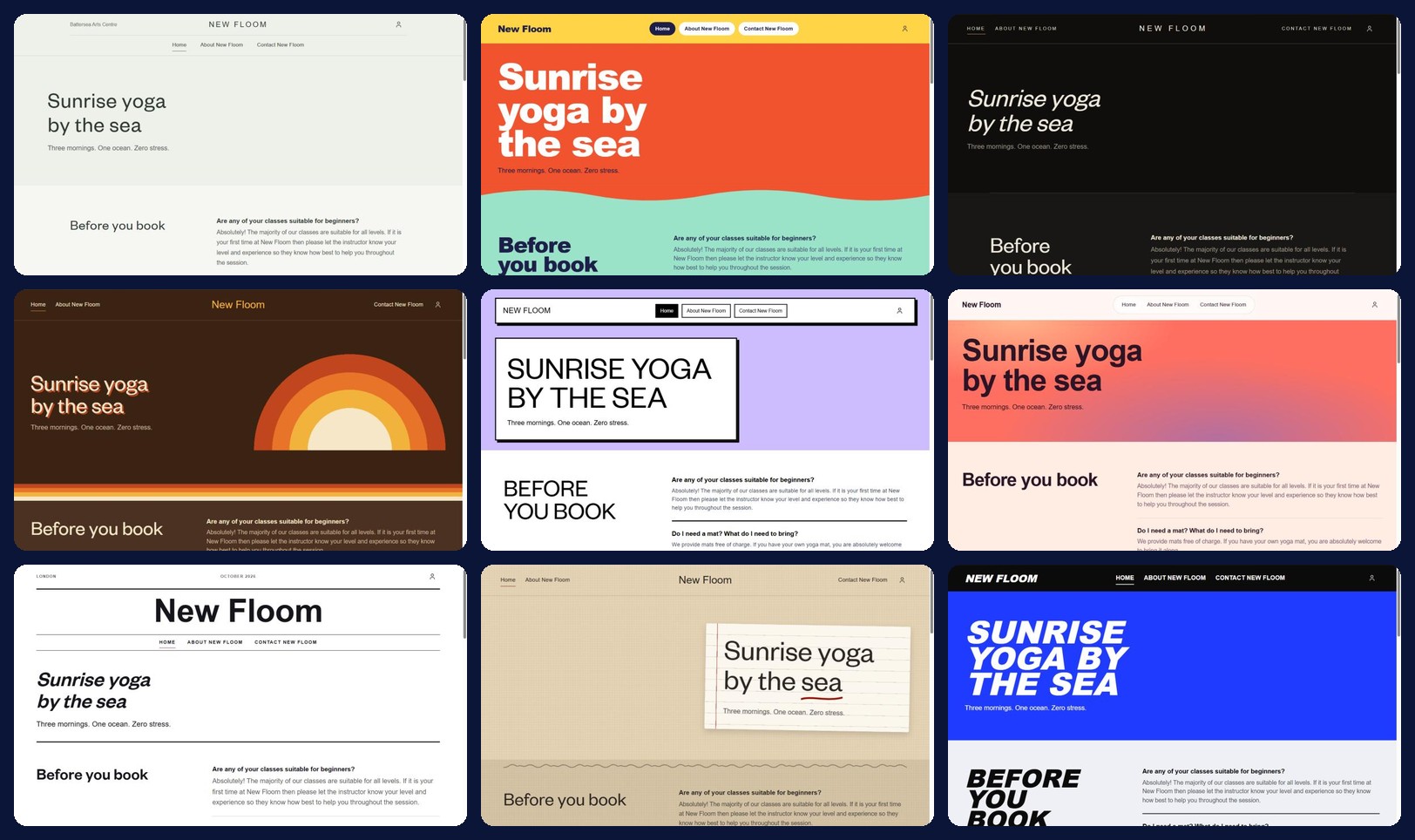
The same page, the same words, ten themes. Every screenshot in this article comes from the new Website Builder.
Your website is the first place most customers meet you. It should feel like walking into your studio, not like filling in a form.
That is the idea behind the new Baluu Website Builder. You start from a layout, edit by clicking, change the whole look in one click, and your classes, timetable and memberships are already on the page. No designer, no code, and no second system to keep in sync.
Here is a quick tour.
1. Start with a layout, not a blank page
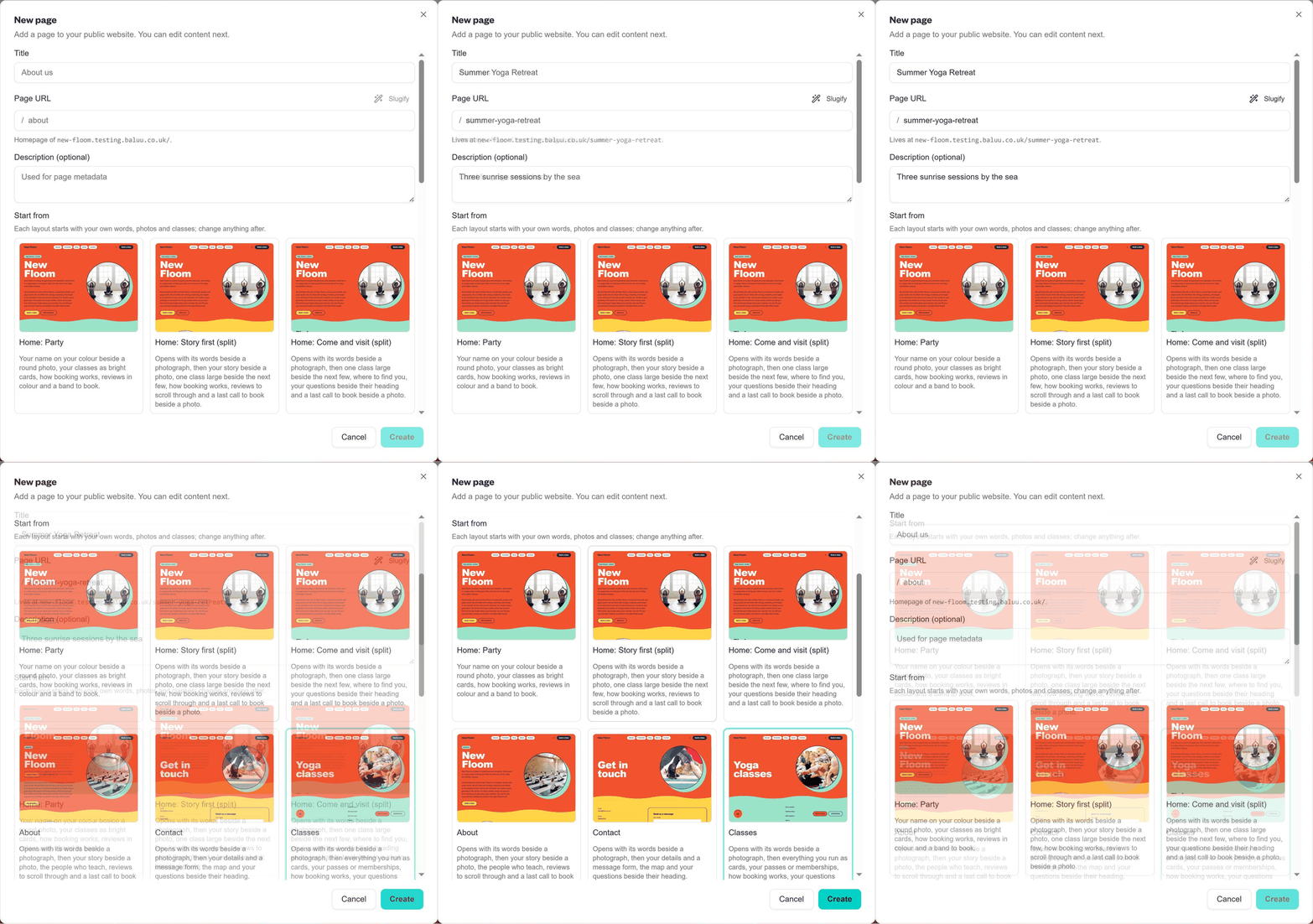
Creating a new page in the Baluu Website Builder
Every page starts the same way. Give it a title, and Baluu turns it into a clean web address for you. Add a short description for search engines if you like.
Then pick where to start. Each layout already uses your own words, photos and classes, so the first version of your page is never empty:
- Hoe, in three flavours: Index, Timetable or Story first
- About, Contact and Questions
- Classes, Timetable and Shop
- Memberships, Class passes and Gift vouchers
- Visiting and Terms
- Or Blank, if you would rather build from scratch
Change anything afterwards. The layout is a head start, not a cage.
2. Click a block. Type. Done.
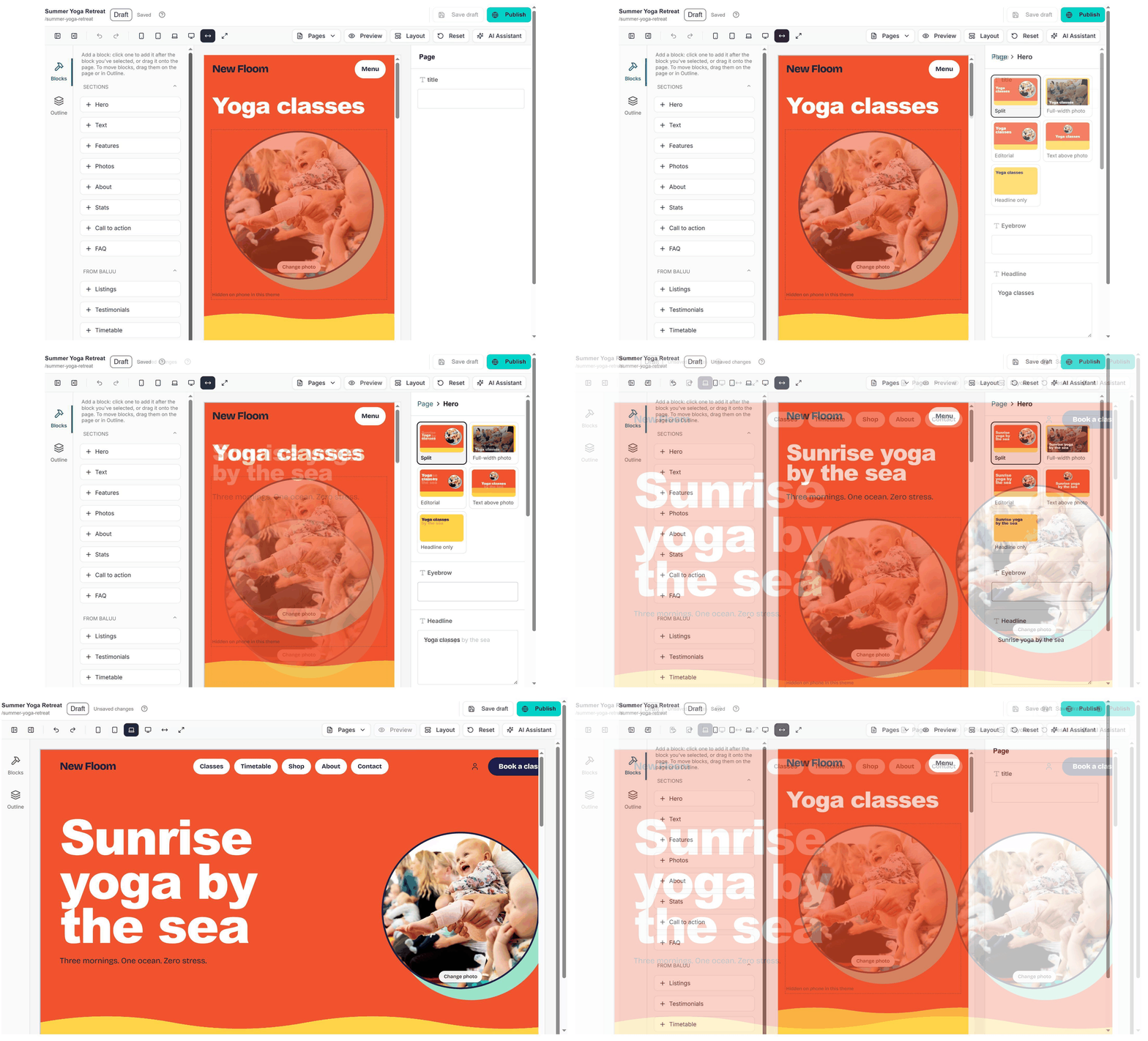
Editing a page: adding blocks and choosing a hero style
The editor shows your page exactly as visitors will see it. On the left are the blocks you can add: Hero, Text, Features, Photos, About, Stats, Call to action and FAQ. Click one to add it, or drag it straight onto the page. Reorder everything from the Outline.
Select a block and its settings open beside it. The hero alone comes in five styles: Split, Full-width photo, Editorial, Text above photo and Headline only. Type a new headline and the page updates as you go.
Switch between phone, tablet and laptop views at any time, undo a step if you change your mind, and save a draft whenever you like. An AI Assistant also sits right in the editor toolbar.
3. Your bookings are already on the page
This is where the builder stops being "just a website".
Under From Baluu, you will find blocks that pull live from your account: Listings, Timetable and Testimonials. When you publish a class in Baluu, it appears on your site. Until then, the block stays hidden, so visitors never see an empty space.
Pages you have not customised keep themselves up to date as your details change. Your website and your bookings finally tell the same story, without you copying anything across.
4. One page, ten looks
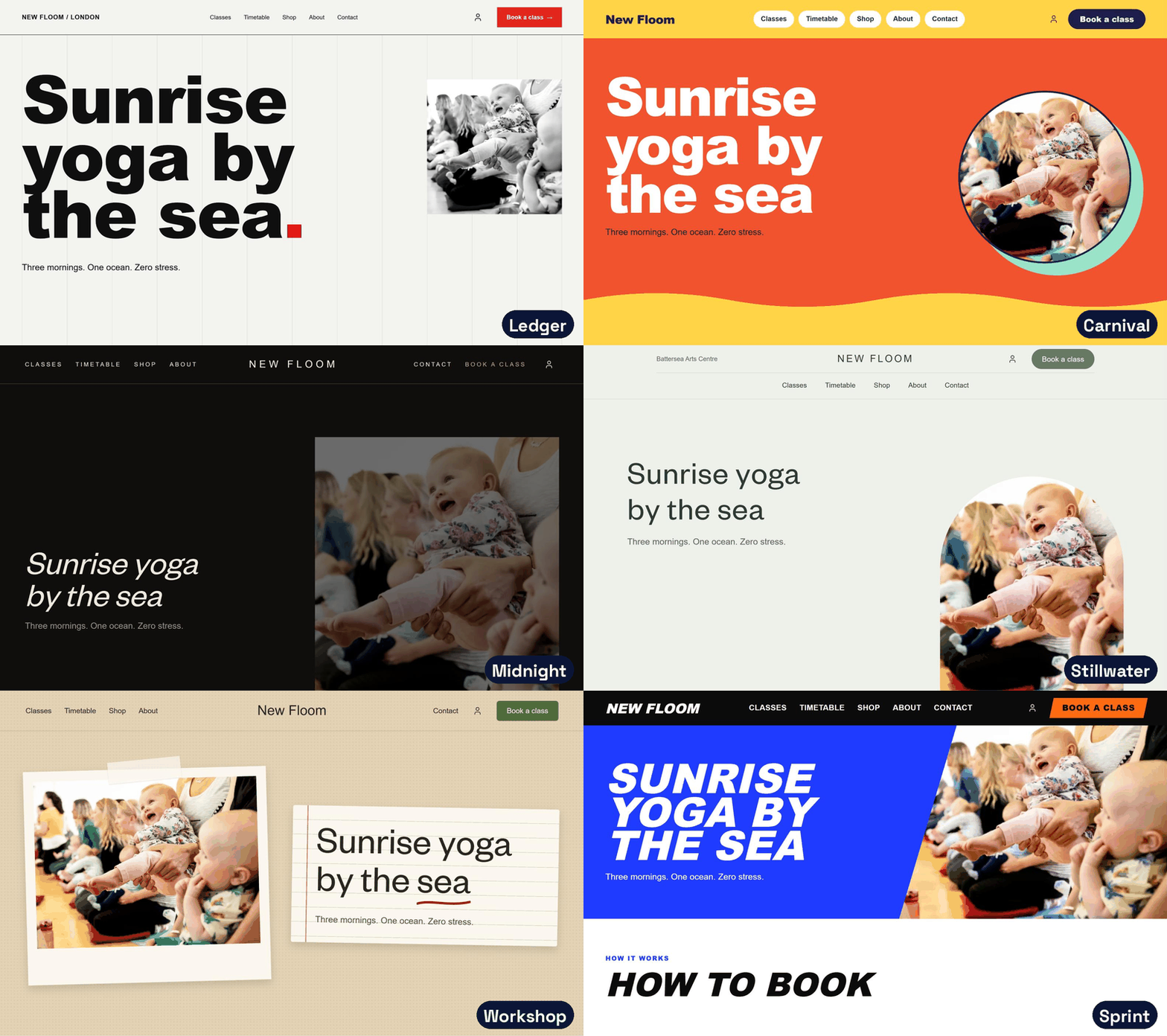
Switching between themes on the same page
A theme sets the whole personality of your site: colours, type, shapes and even motion. Point at one and you see your own site in it. Nothing changes on your live site until you press Save.
There are ten to choose from, each designed with a kind of business in mind:
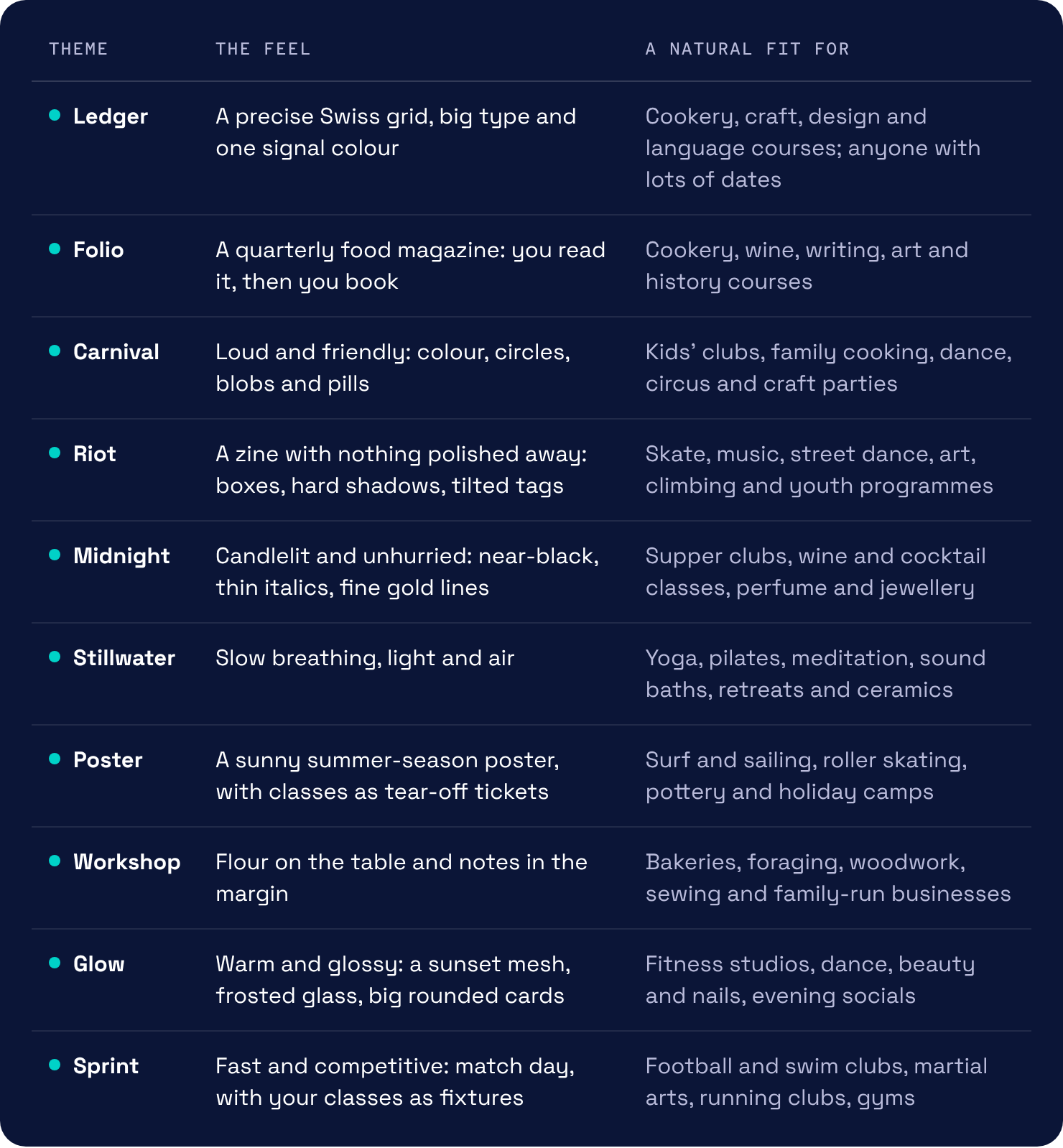
Not sure which one suits you? Try them all. It takes seconds.
5. Make it unmistakably yours
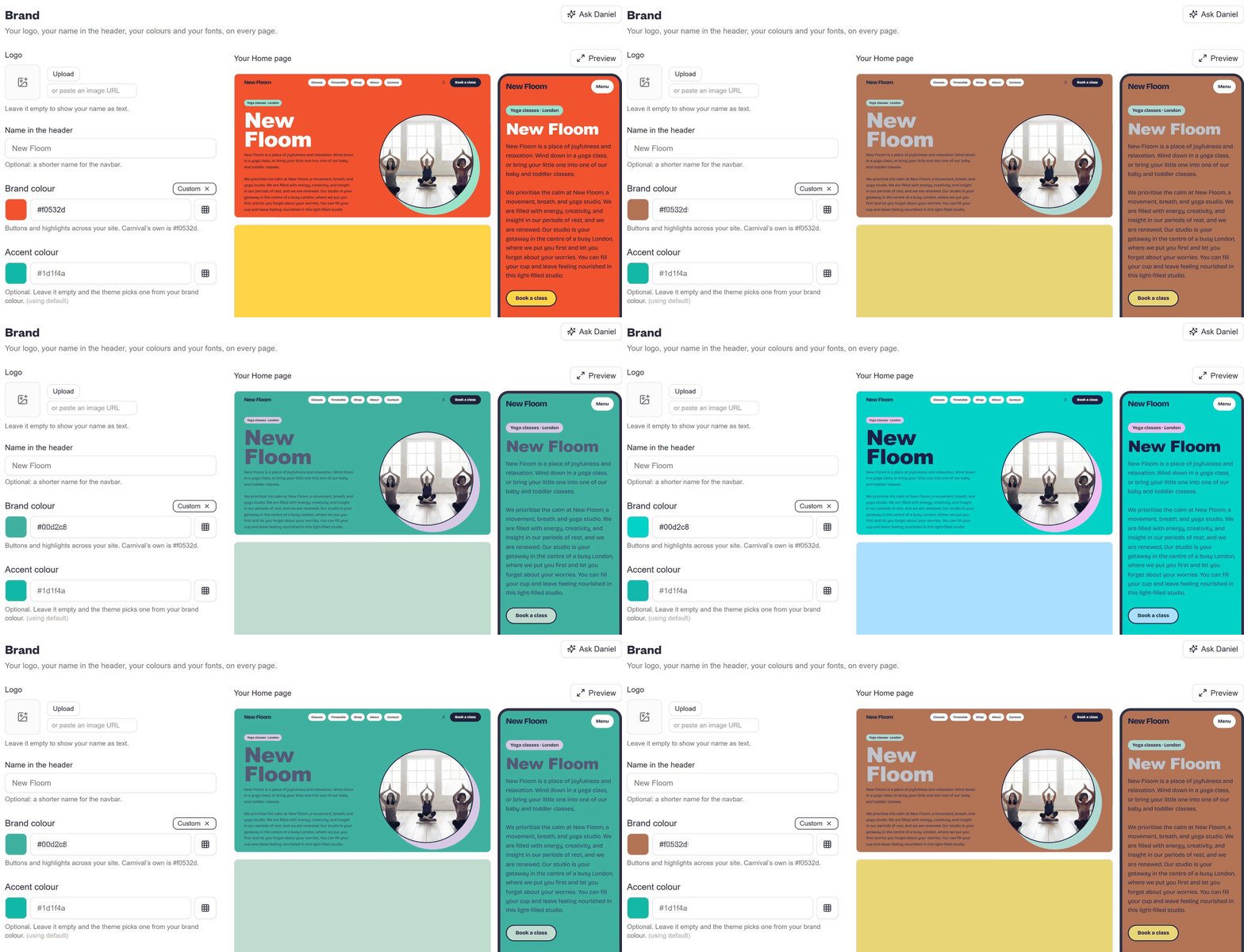
Changing the brand colour from orange to teal
Upload your logo, set the name that shows in your header, and choose your brand colour. Buttons and highlights across the whole site follow it instantly. Add an accent colour, or leave it empty and the theme picks one that works with your brand.
Then choose your fonts from twenty hand-picked pairings, from elegant serifs to bold, playful display type.
The same Look and feel area covers your layout, navbar and footer, contact and social links, and even the wording used across your site. Daniel, your AI assistant, is on hand while you style it.
6. Beautiful on every screen
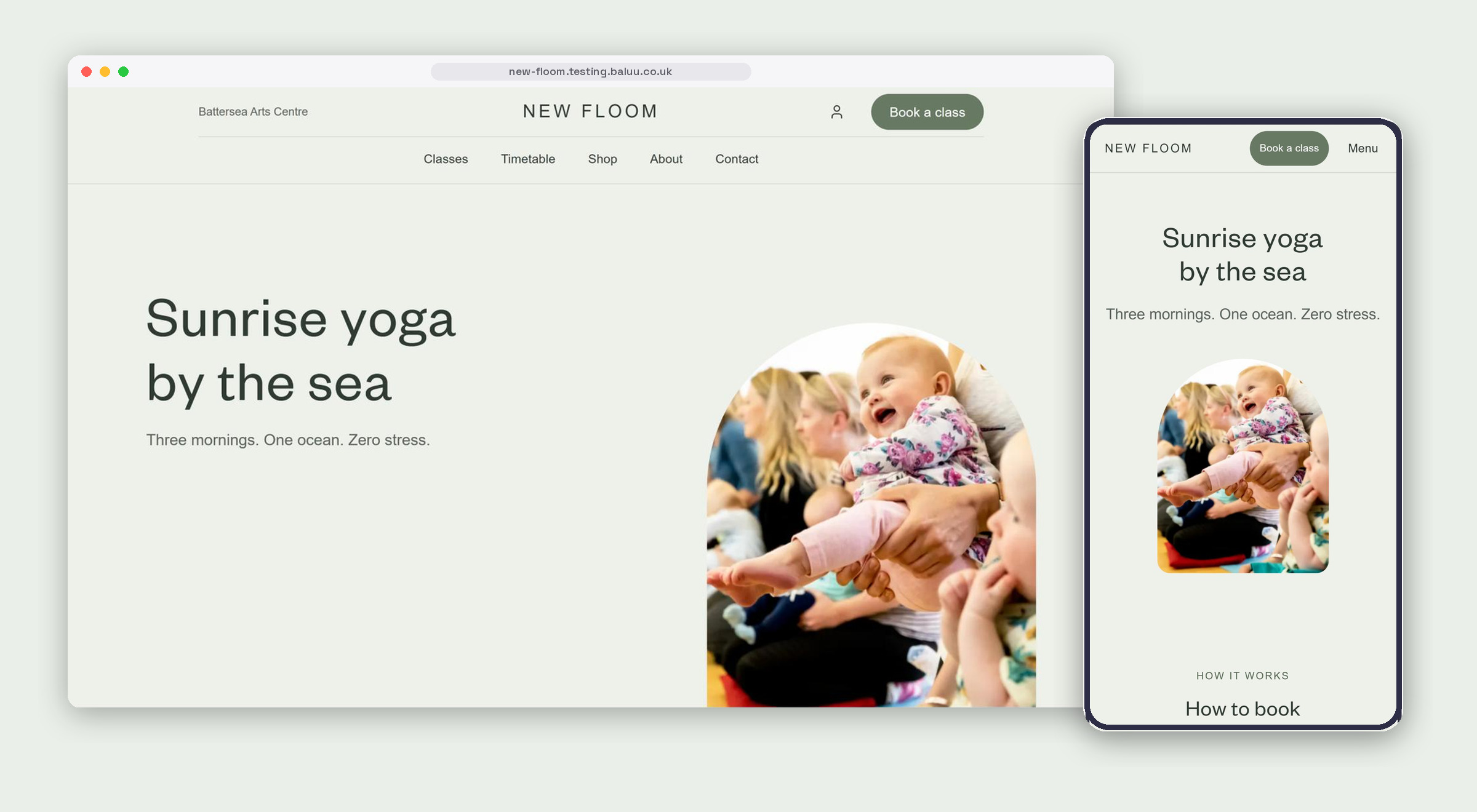
The same page on desktop and on a phone
Most of your customers will find you on their phone. Every theme is designed for both, so your site rearranges itself for smaller screens automatically. Preview any page on desktop and phone before it goes anywhere.
7. Publish when you're ready
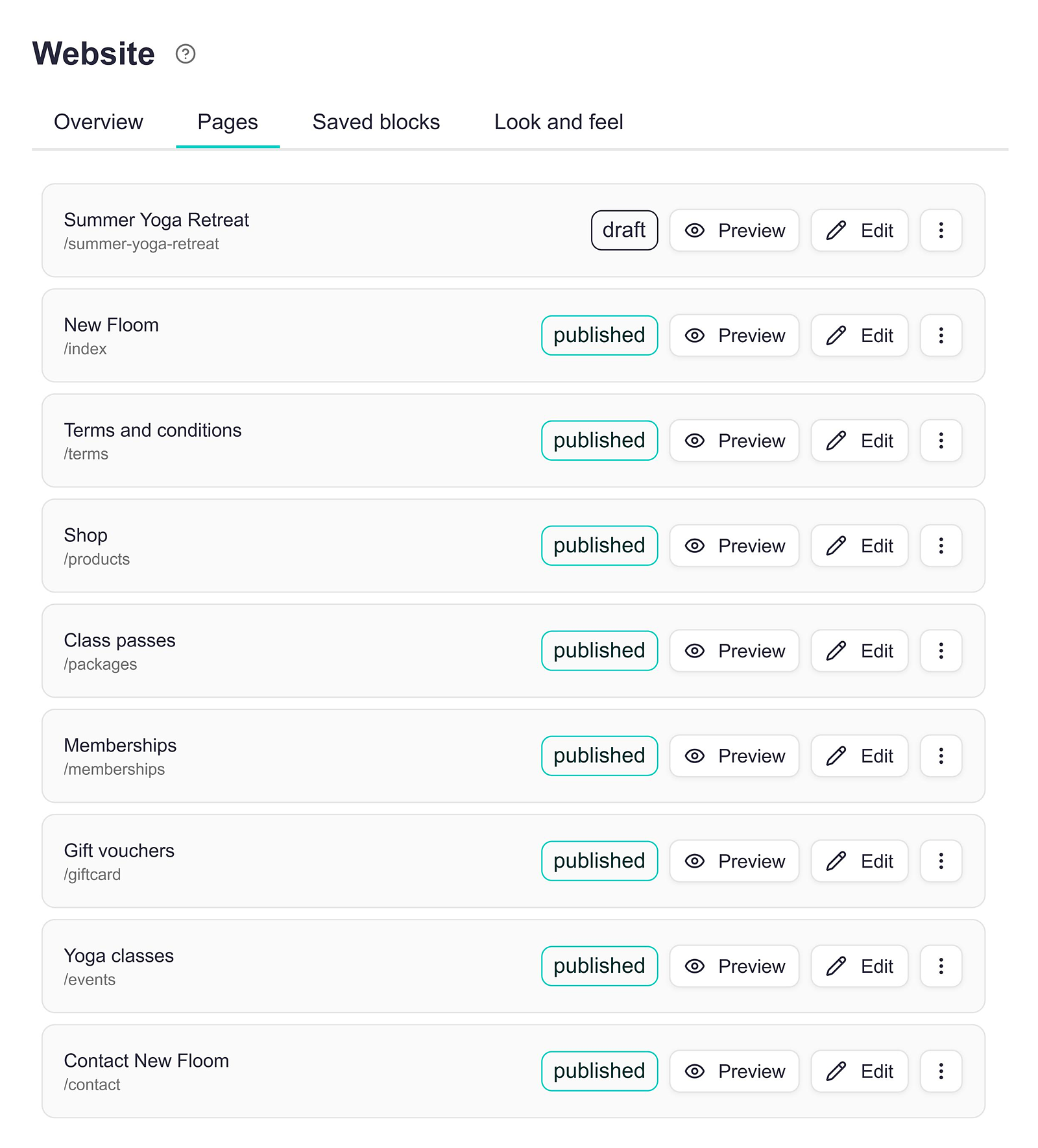
The Pages list, showing published pages and drafts
Experiment as much as you like. Your pages stay as drafts until you publish them, and the Pages list shows at a glance what is live and what is still in progress. Preview, edit or publish each page from the same place.
Your whole storefront, not just the till
Until now, Baluu has been the engine behind your bookings, payments and memberships. With the new Website Builder, it becomes your front door too: a site that looks like you, sells for you and stays in sync with everything else you run.
You keep the creative decisions. Baluu takes care of the rest.
— Vitor and the Baluu team