Automations
The messages you send every week, sent for you.
Confirmations, reminders, payment nudges and thank-yous go out on their own, to the right person at the right time. By the time you've replied to everyone, it isn't 10pm any more.
- 38 automations, ready on day one
- Nothing to set up
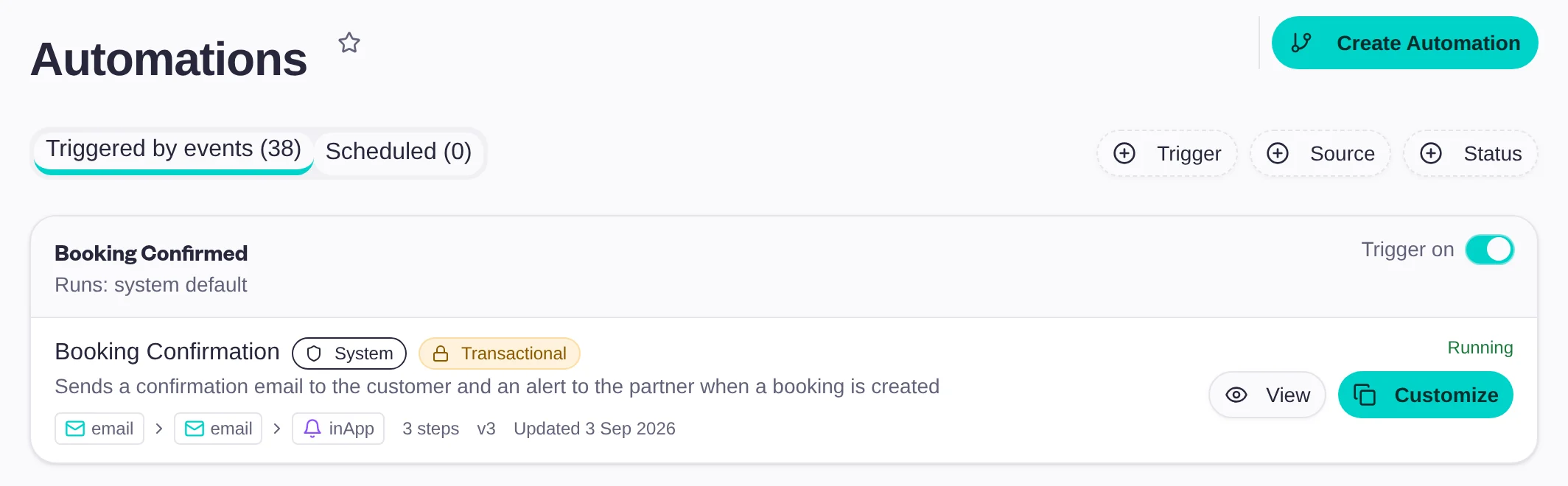
Ready on day one
When this happens, Baluu does that.
Every automation starts with something that happens in your business, and tells your customer, your team or both.
Bookings
Confirmations, reminders before the session, reschedules and cancellations, and a nudge to name the guests on a group booking.
Requests and reservations
The customer hears their request arrived, your team is reminded before it expires, and the place is released if nobody answers.
Payments
A reminder two days before a payment is due, a receipt when it arrives, and an alert to your team if it's overdue.
Waiting lists
Customers know they're on the list, and your team sees who joined and who left.
Reviews
A review request the morning after the session, and a thank-you when the review arrives.
Memberships and gift cards
A welcome when a membership starts, a heads-up if a payment fails, and the gift card sent straight to its recipient.
Your messages
Sent in your colours, in your words.
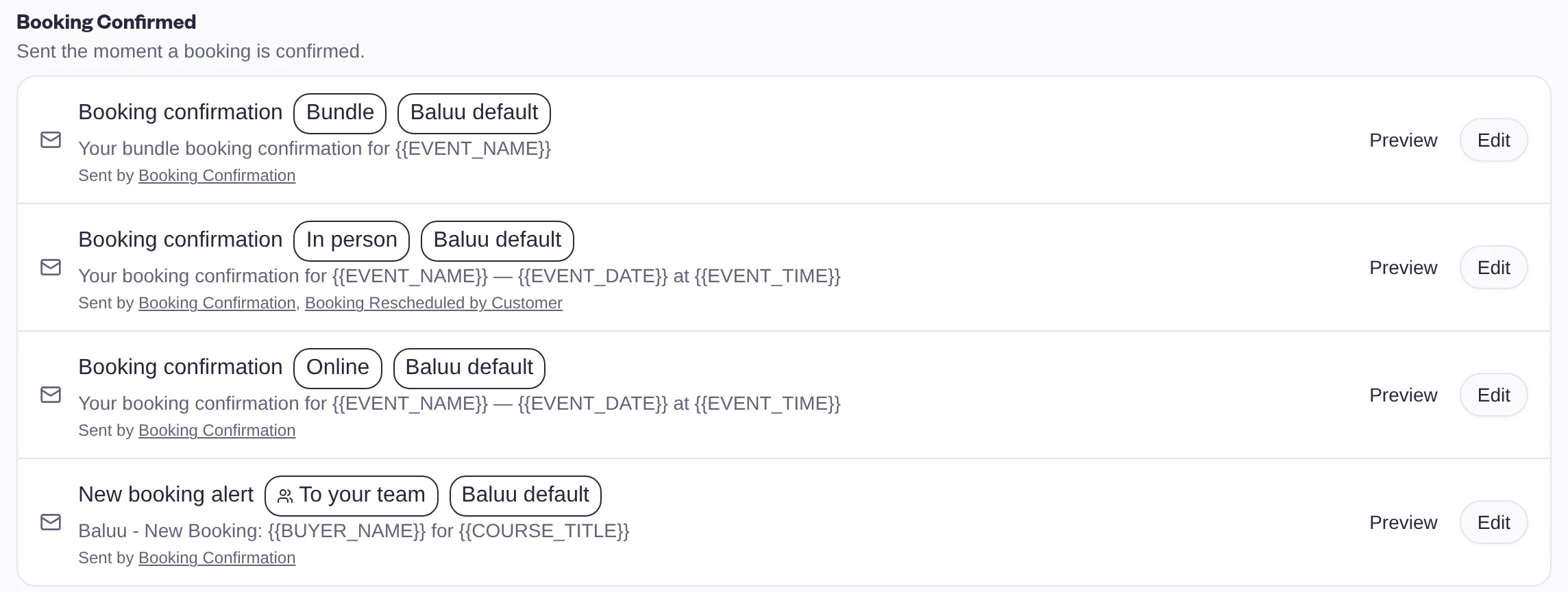
- One design for every email: your logo, header, footer and colours, set once
- The right version every time: different wording for in-person, online and bundle bookings
- Your team kept in the loop: their own alert for every new booking
- Edit and preview: change any template and see it before it goes out
You stay in charge
On by default. Yours to change.
Switch it on or off
Every automation has its own switch, so you only send what suits you.
Customise it
Change what an automation sends, and see every step it takes.
Make your own
Add your own automations alongside the ones Baluu provides.
Baluu AI
Automations do the routine. Junno and Daniel do the rest.
Automations cover what should happen without anyone asking. Junno answers your customers and takes bookings by chat; Daniel does tasks in the dashboard when you ask.
Junno
For your customers, on your website and WhatsApp, day and night.
Daniel
For you and your team, in the dashboard. Ask a question or describe a change.
Questions people ask.
- Do I have to set anything up?
- No. Confirmations, cancellations, receipts and the rest run from your first booking. Change them when you want to.
- Can I switch an automation off?
- Yes. Every automation has its own switch, and you can turn reminders and follow-ups on or off in a click.
- Can I change what the emails say?
- Yes. Edit any template and preview it before it goes out. Your logo, header, footer and colours are set once and shared by every email.
- How are messages sent?
- Customers get emails. Your team gets an email and an alert in the dashboard.
- Does my team hear about bookings too?
- Yes. New bookings, cancellations, waiting list joins, reviews and unanswered requests all reach the right people in your team.