Bookings and calendar
Every kind of booking. One calendar that fits you.
Classes, courses, terms, appointments and events, all in one place. Then see your week the way your business actually works.
- 0% commission for 90 days
- No card needed
What you can sell
If people book it, Baluu takes it.
Classes and events
Weekly classes and one-off events, each with its own number of places.
Appointments
One-to-ones with fixed or flexible lengths, buffer time between slots, and open or invite-only booking pages.
Terms and courses
Sell a whole term or course as one booking, with breaks like half term built in.
Trials and drop-ins
Let newcomers try a class before they commit to a term.
Several dates, one checkout
Customers add dates, products and gift cards to a basket and pay once.
Waiting lists
When a class is full, keep the demand. Customers can wait for a date, a whole term or the next one you publish.
Calendar types
Stop fitting your business to our calendar.
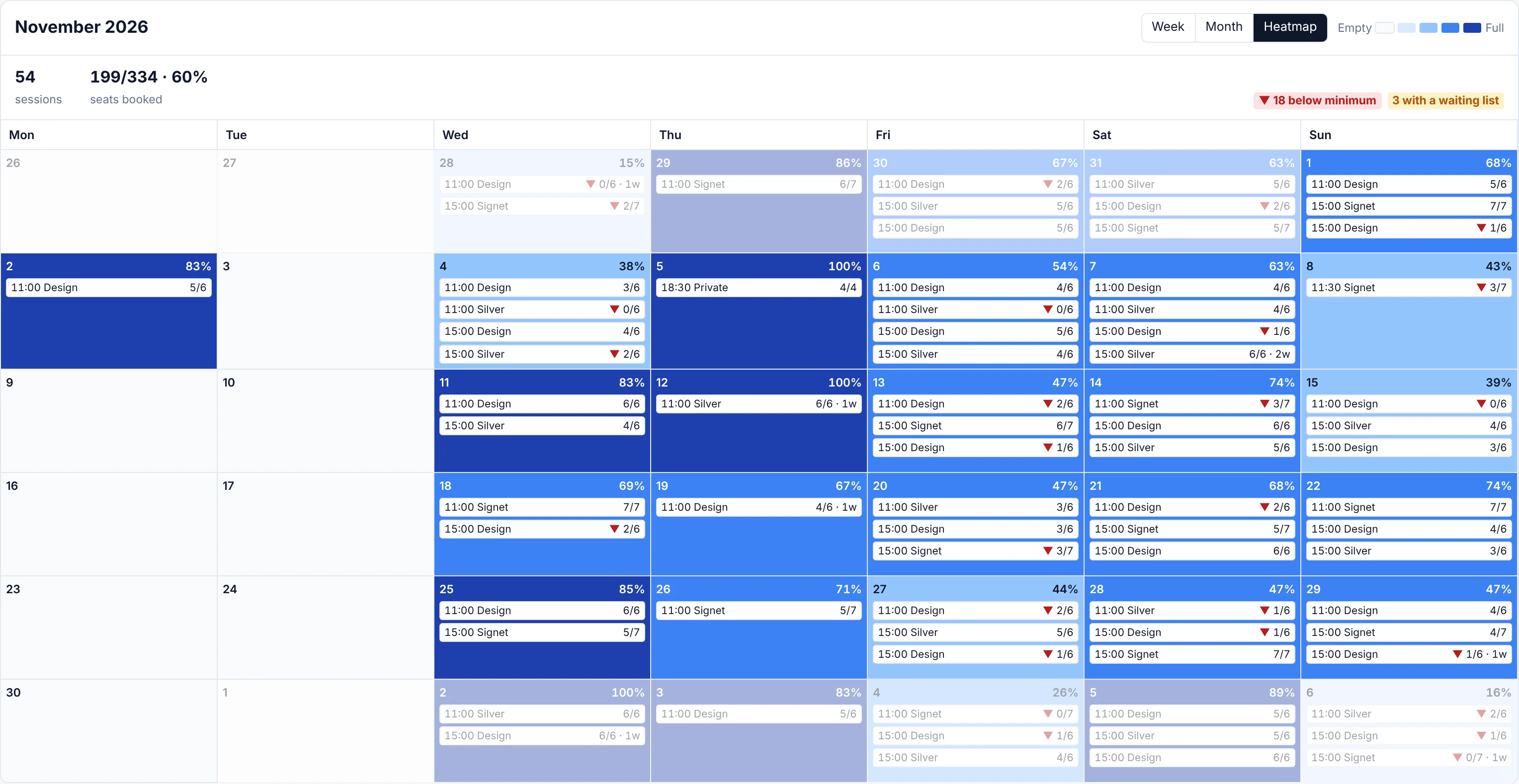
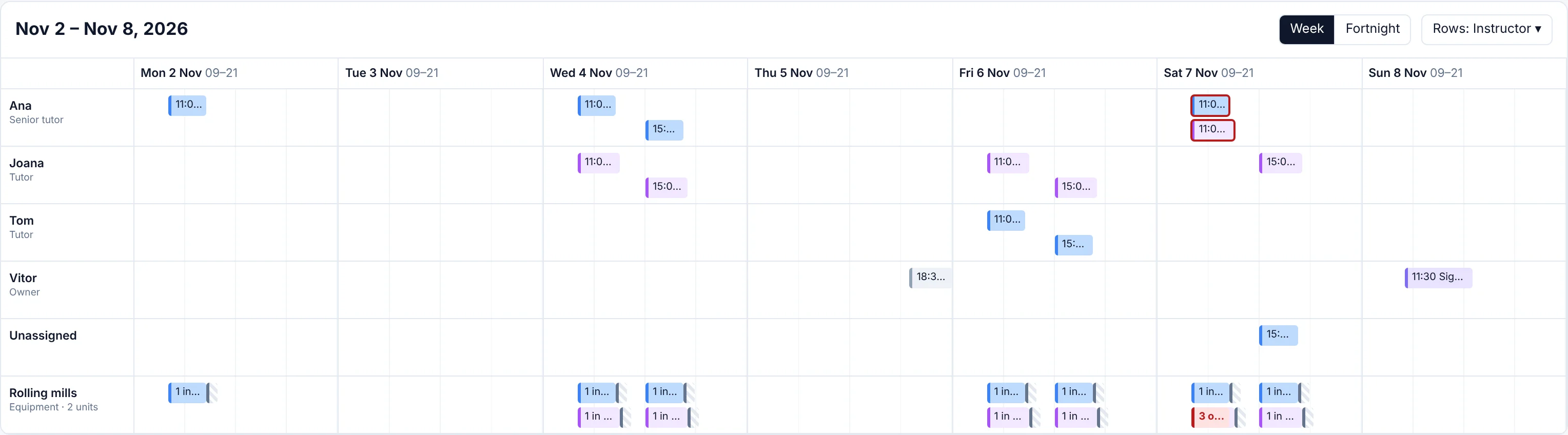
A workshop asks “will Saturday's class run?”. A tour operator wants a run sheet. A school wants to know who's teaching where. Alongside Day, Week and Month, there are eight more ways to see the same bookings.
- Heatmap: every day shaded by how full it is, with a flag on anything below its minimum
- Timeline: a row per instructor, room or listing, with clashes in red
- Table: your run sheet: take the register in the row, export it or print it
- Staff roster: who's on each day, hours worked, and who's free to cover
- Pipelines and horizon: every booking and every term by stage, and up to twelve months on one screen
Saved views
Set it up once, use it every day.
Mix the pieces, then save the result as a view, just for you or for your whole team. The front desk gets today's run sheet; the owner gets the month.
- 1
Filters
Which sessions you see.
- 2
Calendar type
How you see them.
- 3
Settings
What each session shows, and its colour.
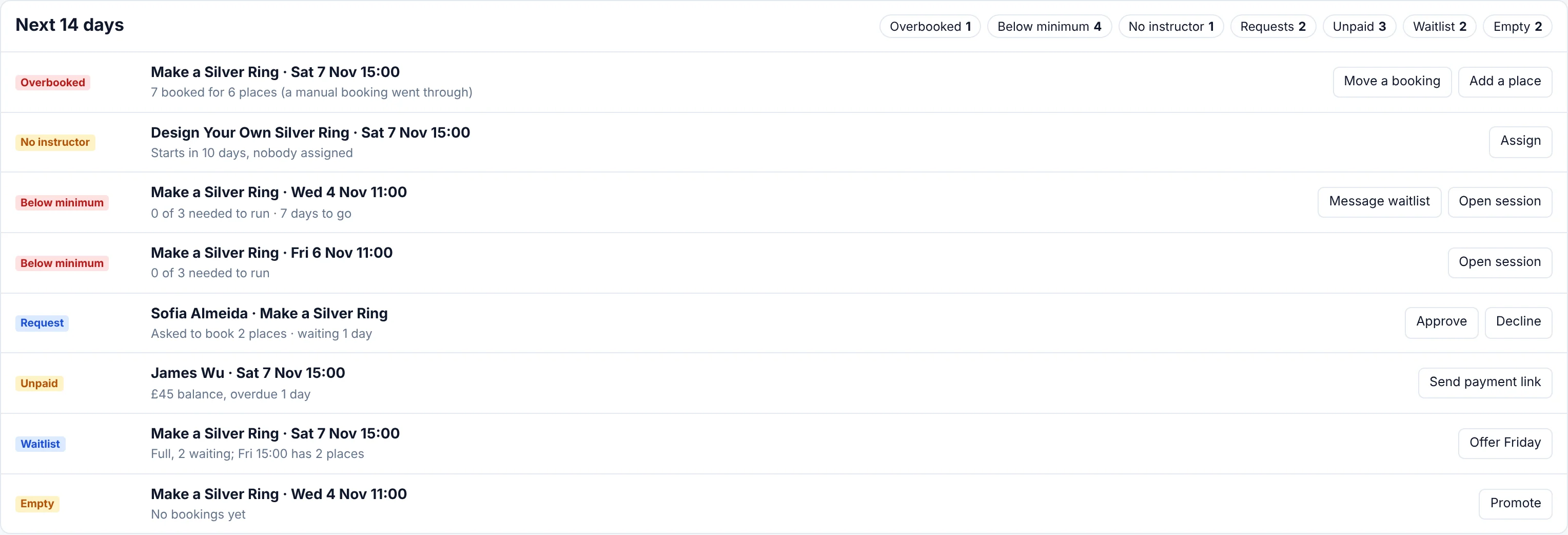
Needs attention
Your to-do list, written for you.
Overbooked sessions, classes below their minimum, missing instructors, booking requests, unpaid balances and full waiting lists, in one list with the most urgent first. Every item comes with the button to fix it.
Day, Week and Month
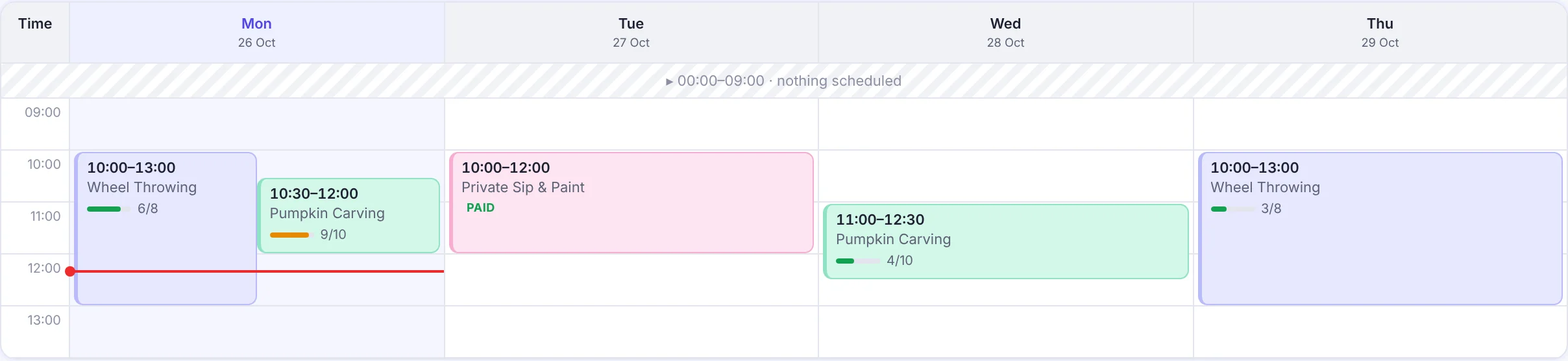
The classics, rebuilt.
- Sessions at their real length: a three-hour workshop looks three hours long
- Spot a gap, fill it: click an empty slot and a new session opens with the date and time filled in
- Drag to reschedule: drop a session at its new time and choose whether to email everyone booked on it (on desktop)
- Colours that mean something: colour by listing, instructor, location or how full it is
Today
Know what today needs before your first class.
Today opens with a sentence, not a chart: what needs you, what Junno handled overnight, and today's sessions with a Check in button. Or ask Daniel, “Is anyone double-booked next week?”, and get the answer in seconds.
Meet Junno and Daniel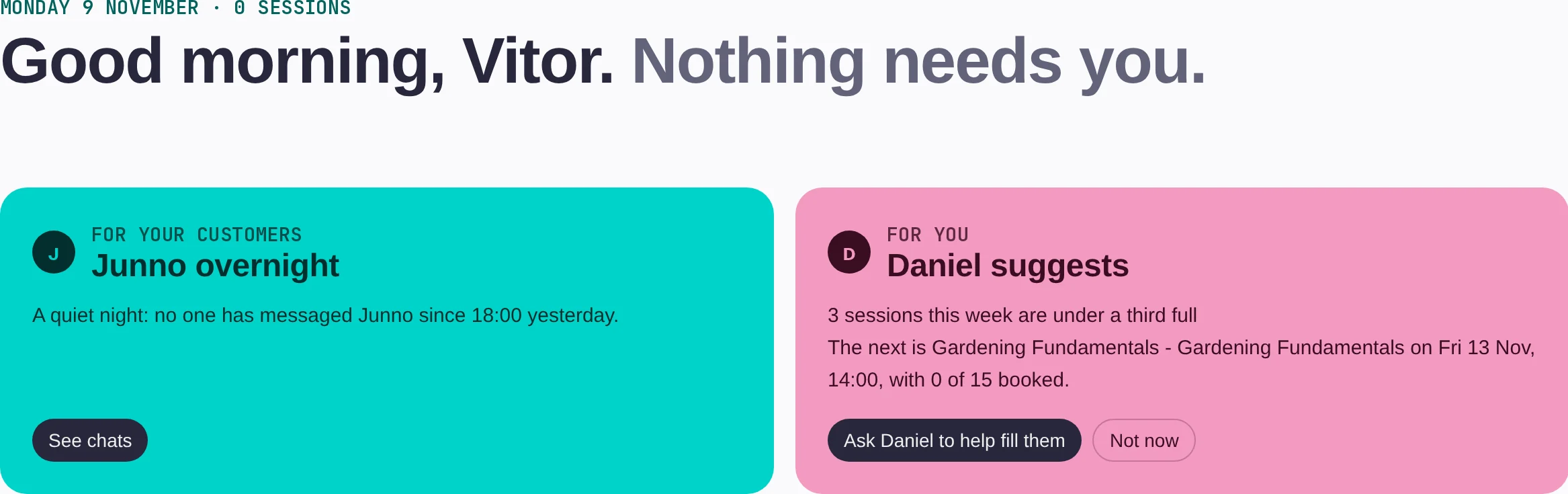
Your rules
Changes and cancellations, on your terms.
Booking policies
Refund tiers by how early someone cancels, a reschedule deadline and your own fine print, attached to the listings they suit.
Waiting lists you control
Choose who hears when a place frees up, and cap how many people can join for each date.
Calendar invites
Booking emails carry an invite for the customer's own calendar, and it updates itself when a session moves.
Questions people ask.
- Can I run classes and appointments in the same account?
- Yes. Classes, terms, appointments and events all live in the same calendar, with the same customer list and the same checkout.
- What happens when a class is full?
- Customers join the waiting list. You choose who hears when a place frees up, and customers can wait for a single date, a whole term or the next term you publish.
- Can customers book several dates at once?
- Yes. With the basket, customers pick several dates, fill in their details once and pay once. Baluu creates a booking for each date.
- Can I set different cancellation rules for different classes?
- Yes. Create booking policies, such as Flexible or Strict, with their own refund windows and reschedule deadline, and attach each one to the listings it suits.
- Does the calendar work on a phone?
- Yes. On a phone, tap any day in Month and it slides up from the bottom. Dragging a session to a new time is desktop only.