If you're still managing bookings through WhatsApp, email, social media messages or a spreadsheet, you're probably spending more time on administration than necessary. An online booking system lets customers see what's available, book their place and pay online while you manage everything from one place.
This guide shows you how to set up an online booking system with Baluu, step by step. Rather than simply listing features, we'll build a real example from start to finish so you can follow the same process for your own business.
Our example business
We'll use Riverside Pottery Studio, a small pottery business run by Maya.
Maya currently takes bookings for a weekly beginner pottery class through Instagram messages and keeps track of customers in a spreadsheet. She wants customers to be able to see available sessions, book online and pay without having to message her first.
Let's set it up.
Step 1: Create Your Baluu Account
Start by creating your Baluu account and following the setup process.
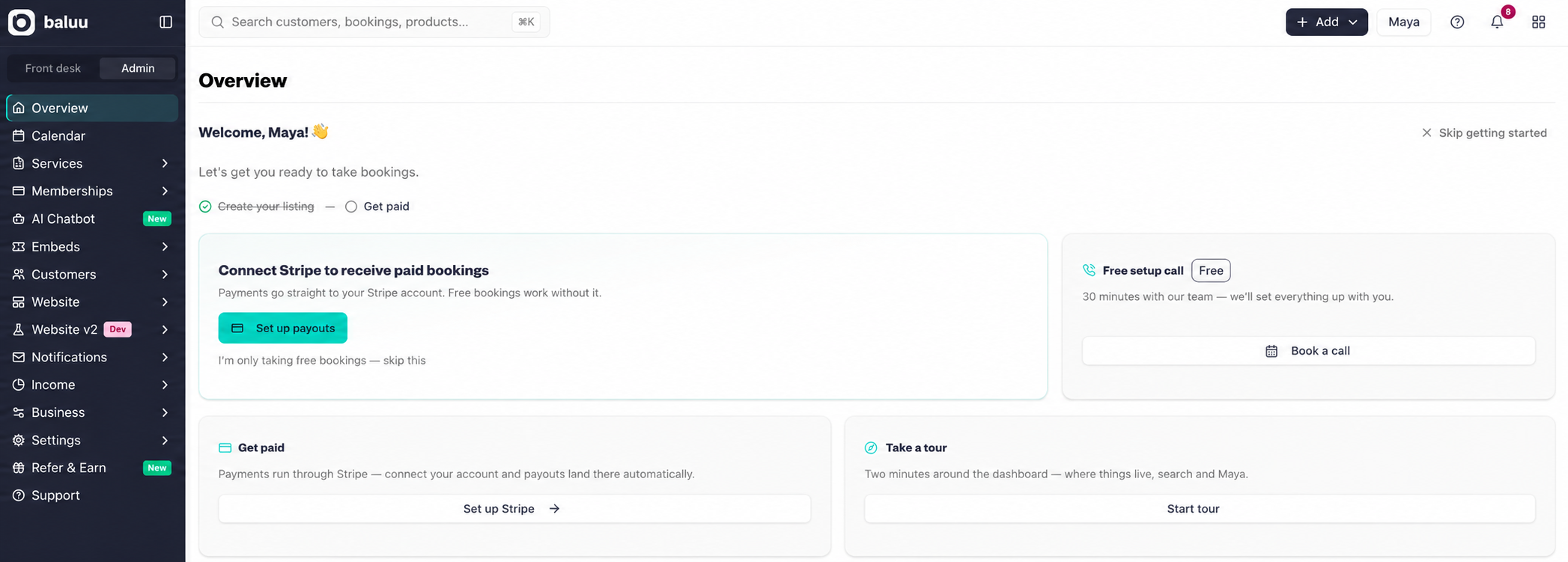
Once you're signed in, you'll arrive at your Baluu dashboard. This is where you'll manage your listings, bookings, customers and other parts of your business.
Why start here?
You don't need to build a separate booking system from scratch. Baluu provides the booking infrastructure, so your job is to configure it around the way your business works.
Step 2: Set Up Your Business
Next, complete the business information requested during the Baluu setup process.
For our example, Maya is setting up:
Business: Riverside Pottery Studio
She adds the relevant business information, branding and customer-facing details so that her booking experience represents her business rather than looking like a generic booking form.
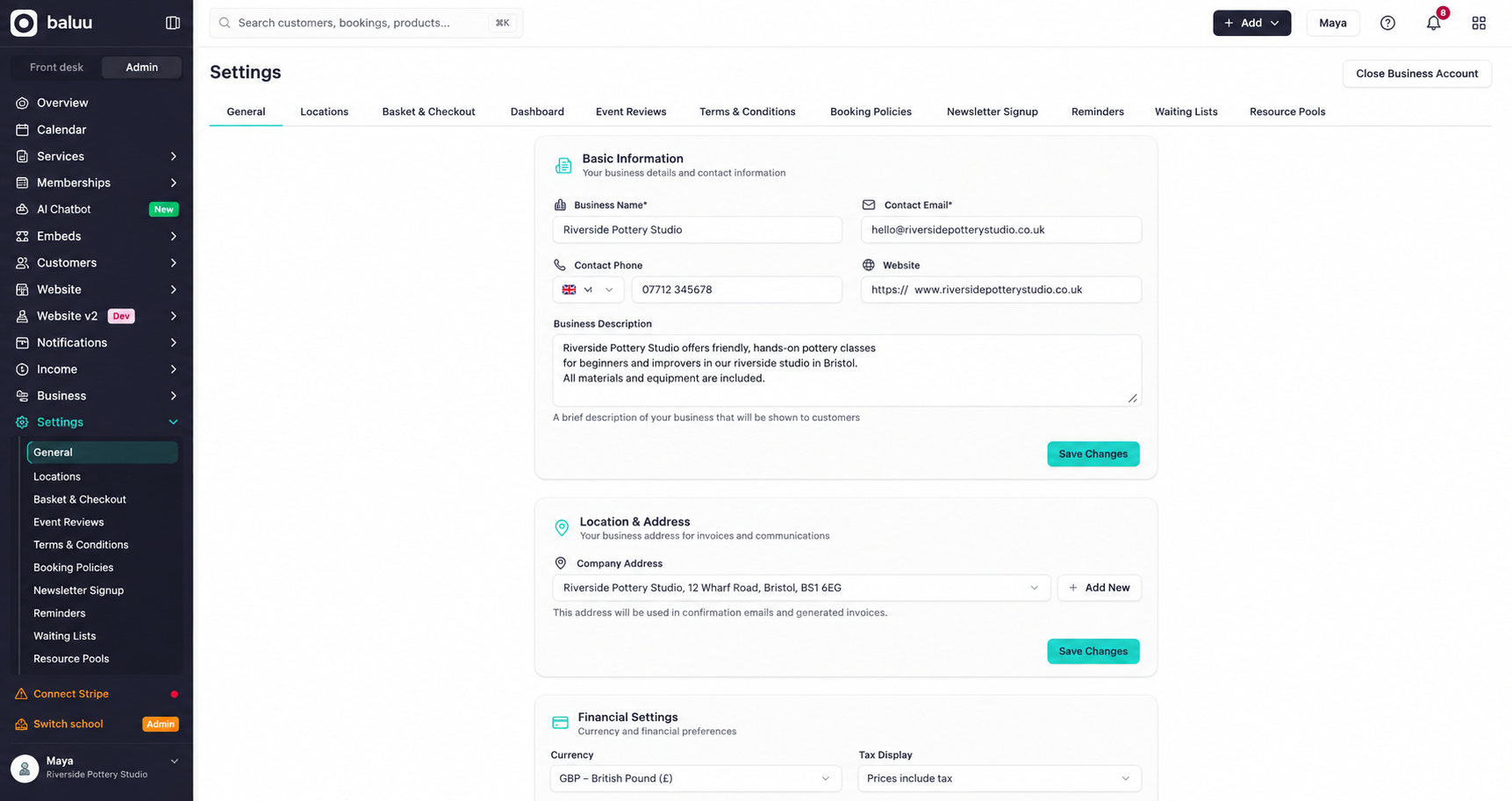
Take a little time with this section. Your business information will form part of the customer experience, so make sure names, descriptions and contact information are accurate before publishing.
Step 3: Create Your First Listing
Now it's time to create the thing you're actually selling.
When you choose Create New Listing, Baluu gives you a few ways to get started:
- Set up manually – build the listing yourself from scratch and choose your own settings.
- Choose a template – start with a ready-made preset and edit it to suit your business.
- Create with Daniel (AI) – answer a few questions and Baluu's AI assistant can help build the listing for you.
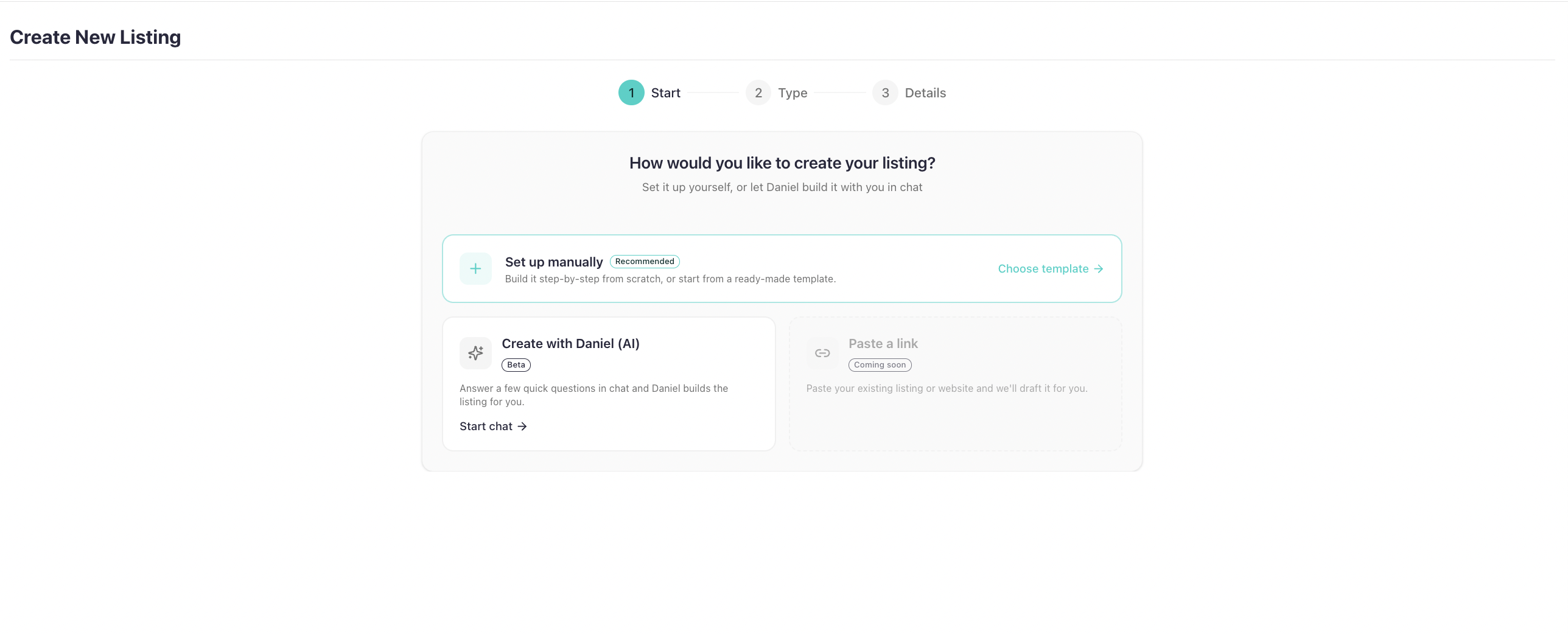
For this guide, we'll set ours up manually, so you can see how the booking system works from the ground up.
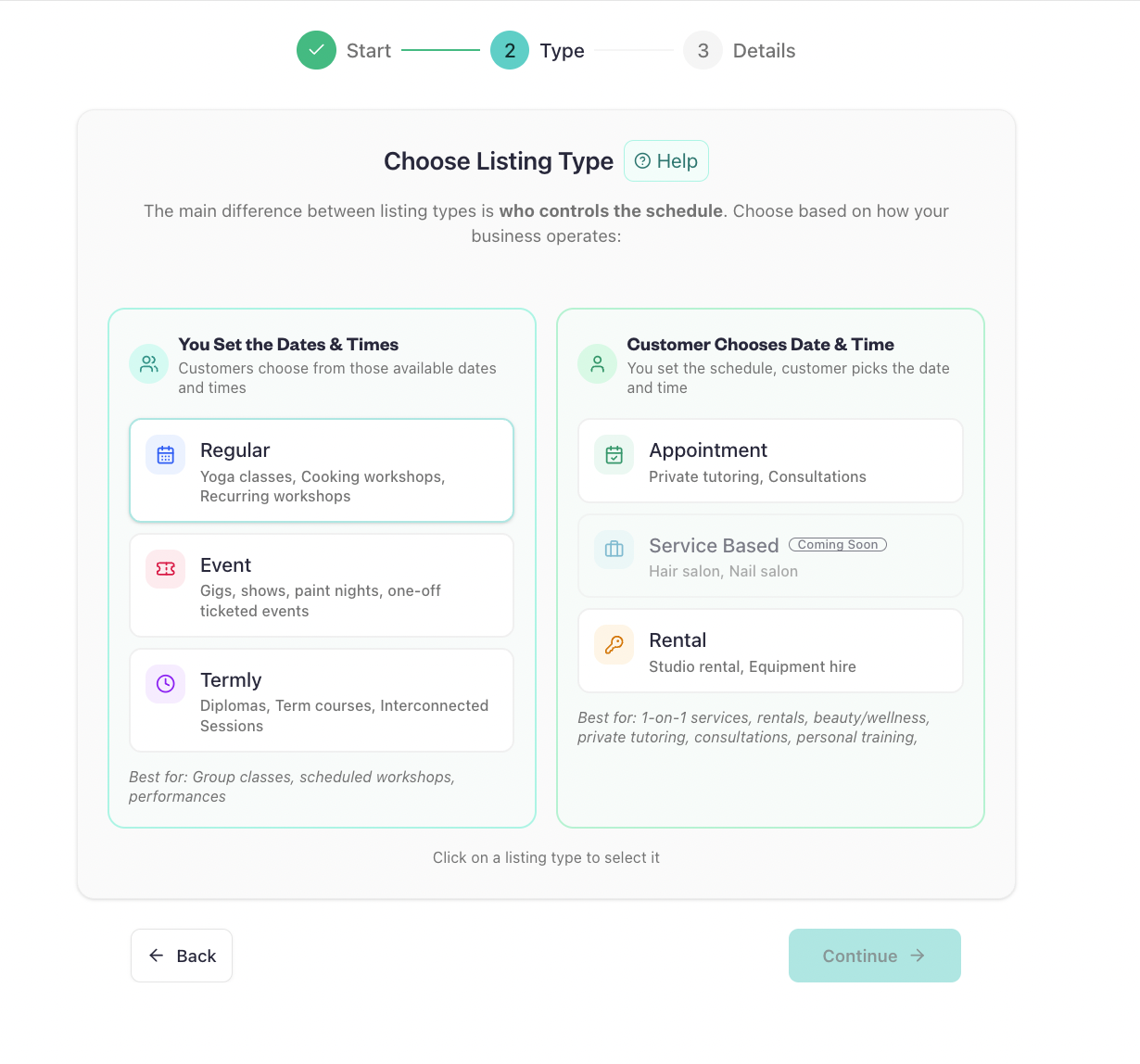
Choose the Right Booking Type
This is an important step because different businesses sell different types of experiences.
Baluu provides different booking types for different ways of operating.
Regular
A Regular booking works well for scheduled classes and sessions where customers choose from specific dates and times.
For Maya, this is the right option because her beginner pottery class runs every Tuesday evening.
Multi-Day
A Multi-Day booking is useful when customers are booking several sessions together.
For example, Maya could later create a six-week pottery course where customers enrol in the complete programme rather than booking each class individually.
Appointment
Appointment bookings are useful for services where customers select an available time, such as a one-to-one session or private lesson.
For example, Maya could use this for private pottery tuition.
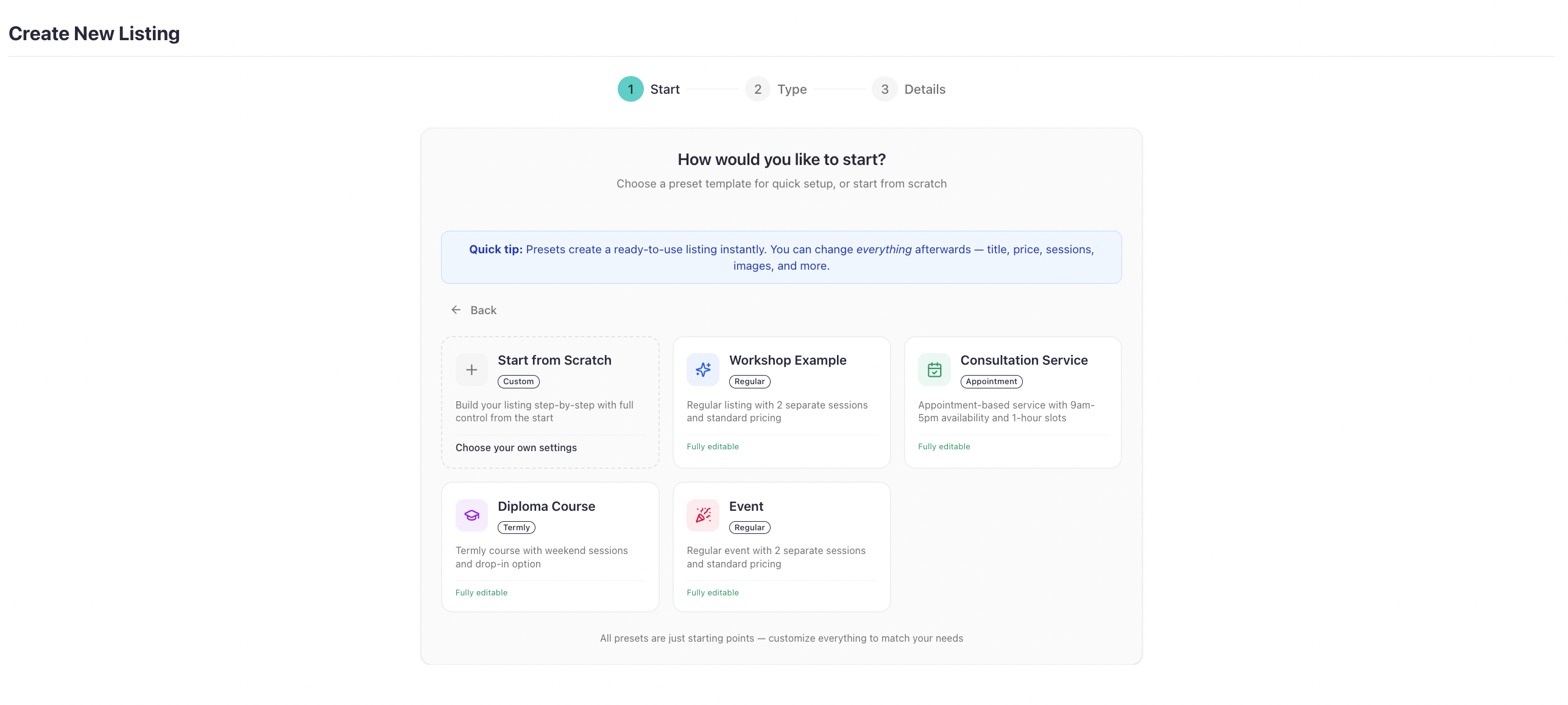
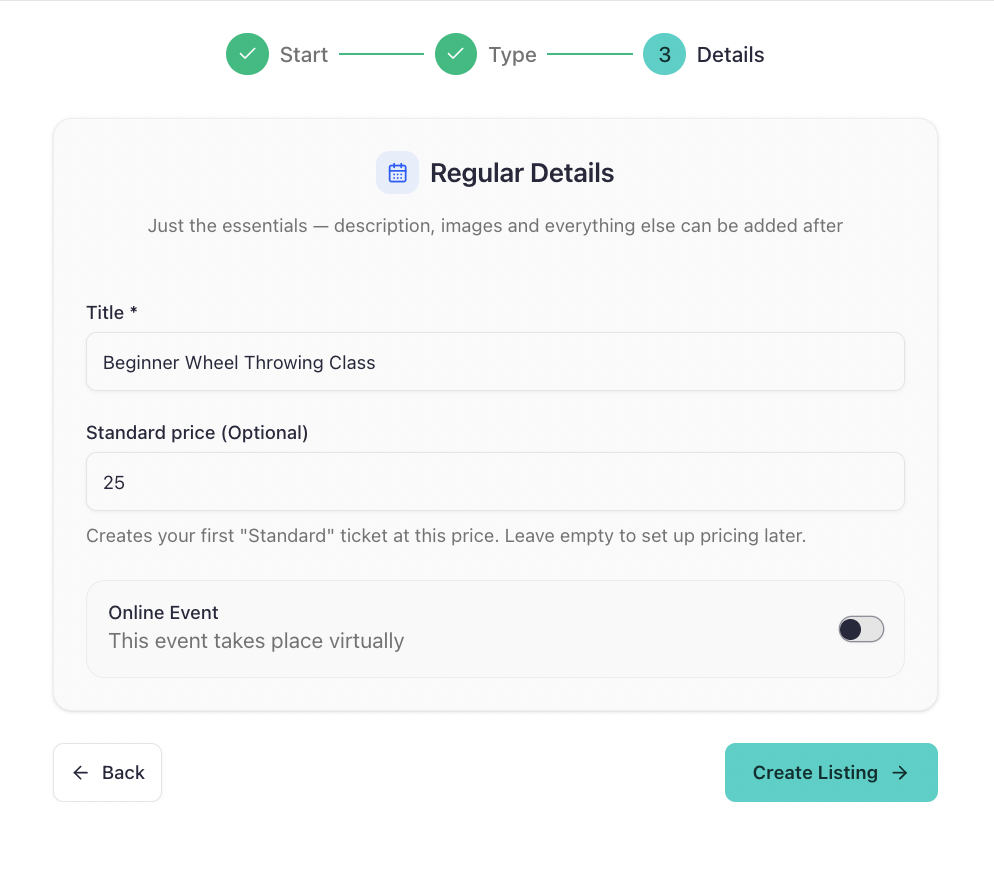
Once you've selected your setup method and listing type, you'll add the basic details. For Maya, that's:
- Listing name: Beginner Wheel Throwing Class
- Standard price: £25
- Online or in-person: In-person, so the online event option stays switched off.
The listing can then be expanded with additional information such as descriptions and images as you continue setting it up.
Tip: You don't have to build every listing from scratch. Templates can give you a ready-made starting point, while Daniel (AI) can help create a listing through a short chat. For this walkthrough, we're using the manual setup so you can see exactly how the process works.
Step 4: Add Your Dates and Availability
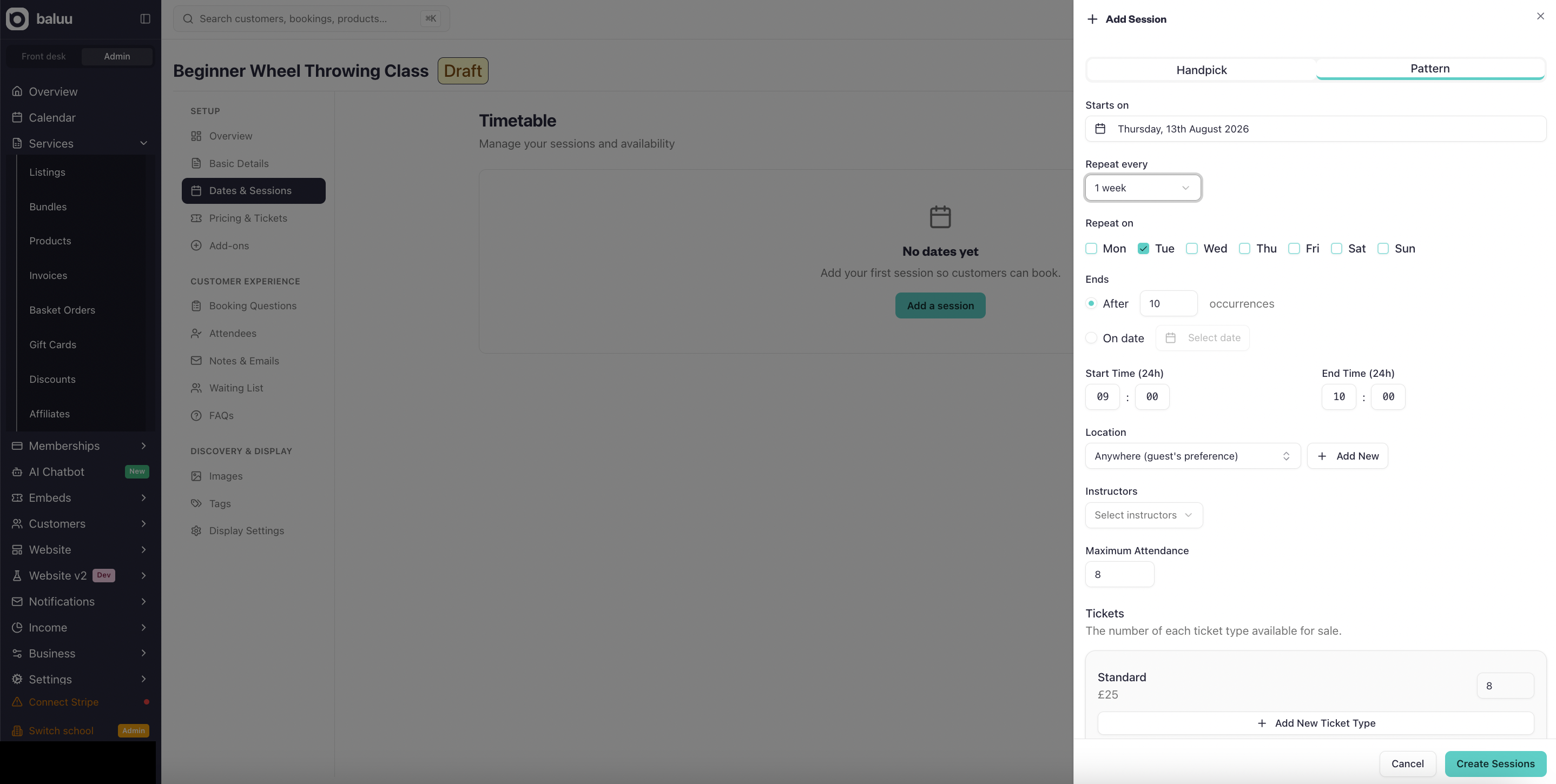
Maya has chosen Regular because her beginner pottery class runs every Tuesday.
Now she can configure when customers can book.
For example:
Day: Tuesday
Time: 6:30pm–8:00pm
She can then set up the relevant schedule and availability for her classes.
If the class doesn't run during a particular holiday or break, she can make the necessary changes rather than leaving unavailable dates open for customers to book.
This is where your online booking system starts becoming a real representation of your business rather than simply an information page.
Step 5: Set Your Capacity and Price
Next, Maya needs to decide how many customers can attend each session and how much it costs.
Her studio has eight pottery wheels, so she sets the class capacity to:
8 customers
She sets the price to:
£25 per person
Now customers can see the available booking space and the price when they visit the booking page.
Why capacity matters
Without an online capacity limit, Maya would still need to check her spreadsheet every time someone wanted to book.
With the capacity set correctly, the booking system can manage availability as customers book.
If the class fills up, Maya can use Baluu's waiting-list functionality rather than continuing to take bookings manually.
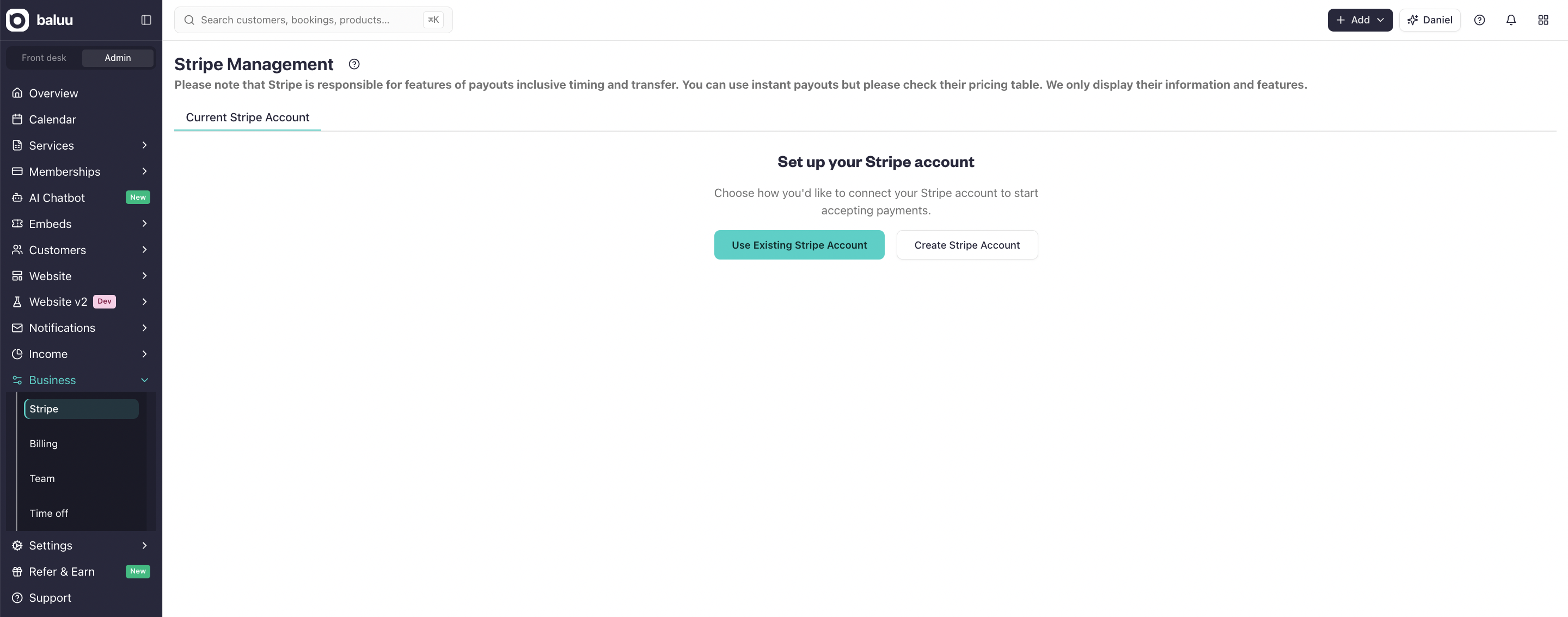
Step 6: Set Up Online Payments
Now Maya needs to make it possible for customers to pay when they book.
Connect the relevant payment setup through Baluu so customers can make online payments as part of the booking process.
For Maya, this means a customer doesn't need to:
Send an Instagram message → wait for a reply → receive payment instructions → make a separate payment → wait for confirmation.
Instead, the customer can:
Choose a class → book → pay → receive confirmation.
This is one of the main reasons to move from manual bookings to an online booking system: the booking and payment process can happen together.
Step 7: Publish Your Booking Page
Once your listing is ready, you can make it available for customers to book.
Baluu provides a booking page where customers can view your available services and make bookings.
Maya can share her booking page through:
- Google Business Profile
- QR codes on flyers or posters
- Messages to existing customers
If she already has a website, she can also use Baluu's booking widgets to bring the booking experience onto her own website.
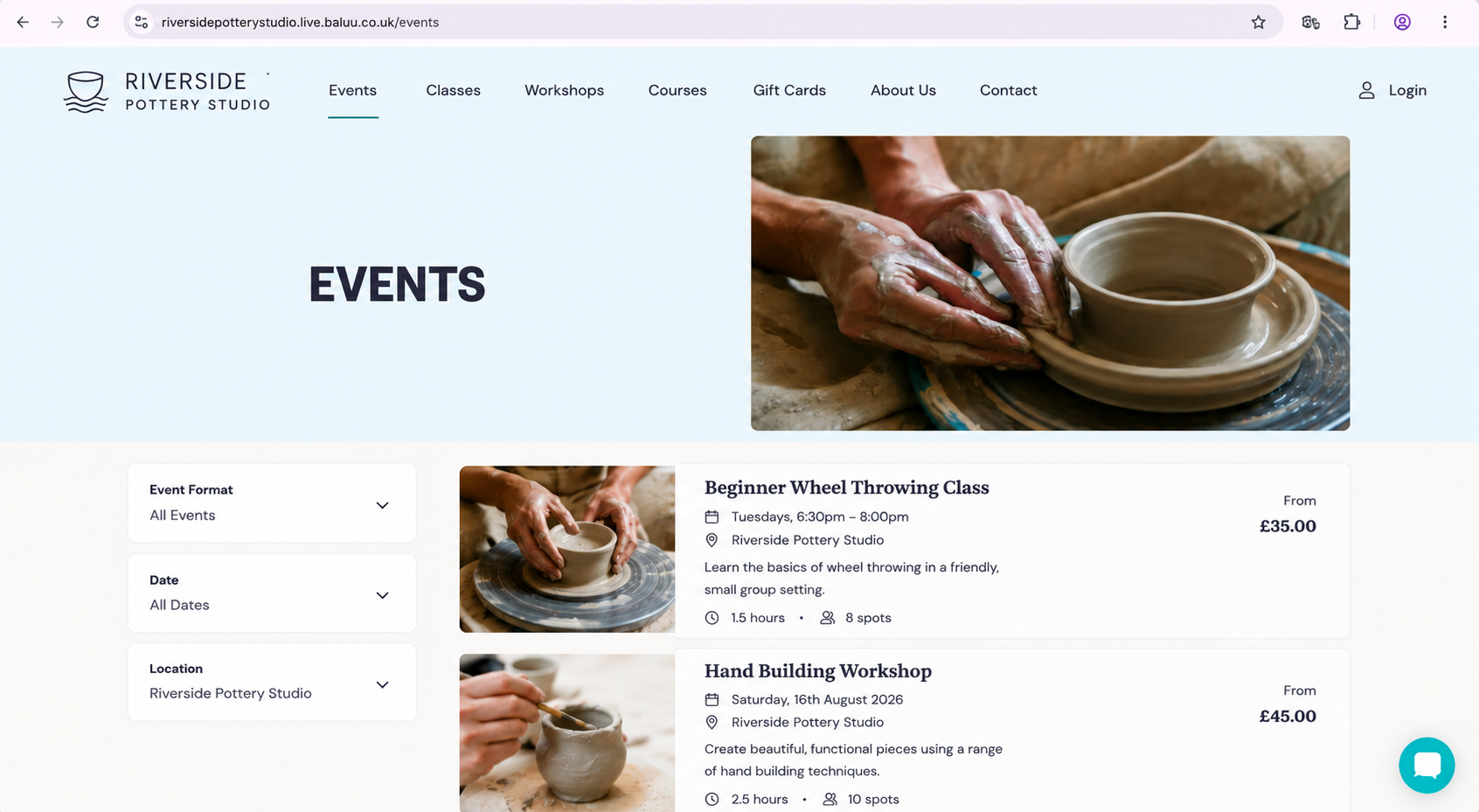
Already have a website?
You don't need to replace it.
A booking widget can allow customers to book through your existing website while Baluu handles the booking process behind the scenes.
Step 8: Make a Test Booking
Before sending your booking link to customers, test it yourself.
This is one of the most important steps.
Open the booking page as if you were a customer.
For Maya, the journey should look something like this:
1. Customer finds Riverside Pottery Studio.
2. They select Beginner Wheel Throwing Class.
3. They choose an available Tuesday session.
4. They see the price and available spaces.
5. They enter their details.
6. They complete the payment.
7. They receive the booking confirmation.
8. Maya can see the booking in her Baluu dashboard.
If something doesn't look right, fix it before sending the link to your customers.
A five-minute test can prevent a lot of unnecessary customer messages later.
What Maya Has Built
At this point, Riverside Pottery Studio has gone from:
Instagram messages + spreadsheet + manual payments
to:
Online booking page → available sessions → capacity → payment → confirmation → booking management
Maya doesn't need to manually confirm every booking or update her spreadsheet every time someone books.
Her customers can book when it's convenient for them, while she can manage the bookings from Baluu.
What If Your Business Works Differently?
The same basic process can be adapted to different types of businesses.
Tutor
Use an Appointment booking for one-to-one lessons where students choose an available time.
Fitness instructor
Use Regular bookings for weekly classes with set times and capacities.
Workshop organiser
Create a bookable workshop with a specific date, time, price and capacity.
Course provider
Use a Multi-Day booking for a programme made up of several sessions.
Term-based business
Use a Termly setup for structured programmes running across a defined term.
The important part isn't copying Maya's exact setup. It's choosing the booking structure that matches how your customers actually buy from you.
Your Online Booking System Is Ready
Let's recap what we built:
- Created a Baluu account
- Set up the business information
- Created the first listing
- Chosen the appropriate booking type
- Added dates and availability
- Set the capacity and price
- Set up online payments
- Published the booking page
- Added the booking experience to the website
- Completed a test booking
That's enough to take your first online bookings.
From there, you can build out the rest of your booking system as your business grows — adding more services, classes, courses, customers and booking options rather than starting again from scratch.
Ready to Take Bookings Online?
If you're currently managing bookings through messages, spreadsheets or a paper diary, you don't need to build a complicated booking system yourself.
Baluu gives you the tools to create your booking system and start accepting bookings online.
You can start with one service, test the customer journey and add more as your business grows.
Start for free with Baluu
Create your account, set up your first listing and publish your booking page.
No complicated setup. Just follow the steps above and start taking bookings online.
Written by
Ruta Jogminaite
Expert in booking systems and appointment-based business optimization.
More to explore
Continue Reading

What Information Should I Ask Customers for When They Book Online?
Learn what information to collect during online booking, from customer and attendee details to custom questions, allergies and marketing consent — without making your checkout unnecessarily complicated.

How Can I Reduce Booking Calls and Messages Without Hiring More Staff?
Learn how to reduce booking calls, messages and front-desk admin using online self-service, automation and AI booking assistants like Baluu’s Junno — without losing the personal touch.
I Already Have a Website — How Do I Add an Online Booking System?
Learn how to add an online booking system to your existing website without rebuilding it. Explore booking integrations, online payments, classes, appointments and how Baluu can help simplify bookings.