Client lists that fill themselves
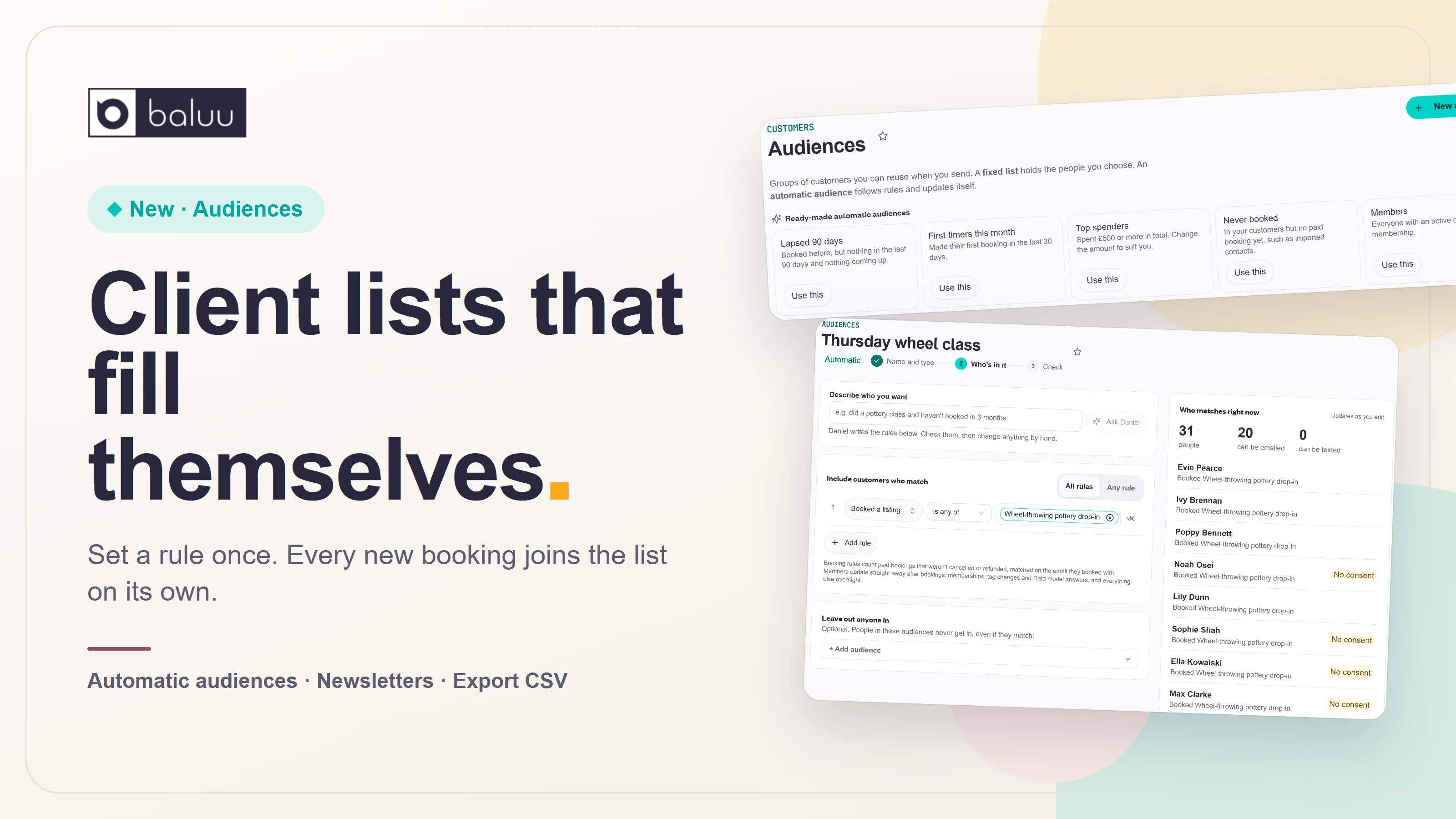
Audiences now have their own home under Customers. Make a fixed list of the people you pick, or an automatic audience that follows a rule, like everyone who books your Thursday class, and fills itself as new customers book. Send it a newsletter or export it as a CSV in one click.
A pottery studio runs a wheel class every Thursday. Every week, someone new books it. And every week, the owner opens their mailing list and adds the new names by hand, so the Thursday crowd hears about the next firing, the glaze night and the Christmas market.
Miss one week and someone misses out. Do it every week and it's one more job on a list that's already too long.
So we stopped making you do it. Jump straight to the changes
The changes
Audiences get their own home
Audiences used to live inside Newsletters. Now they sit under Customers → Audiences, because a group of customers is useful for much more than one email.
There are two kinds:
- Fixed list: you choose the people. Pick them, import a CSV or let them sign up. Nobody joins or leaves on their own
- Automatic audience: you set the rules, and it keeps itself up to date as customers book, join and change
Name it, then choose how people get in
Pick Fixed list to choose the people yourself, or Automatic to set rules and let Baluu keep it up to date.
Everything that uses it, in one place
Open any audience to see who's in it, its rules and everywhere it's used, with Send a newsletter and Export CSV right at the top.
Set the rule once, and the list fills itself
Make an automatic audience called "Thursday wheel class" with one rule: booked a listing, then pick your Thursday classes. Everyone who's booked them is in.
Next Tuesday, a brand-new customer books their first Thursday class. They're in the audience straight away. You don't open anything, and you don't add anyone.
Booking rules count paid bookings that weren't cancelled or refunded. Members are checked straight away when someone books, buys a membership, gets a tag or answers a Data model question, and everything else is checked overnight.
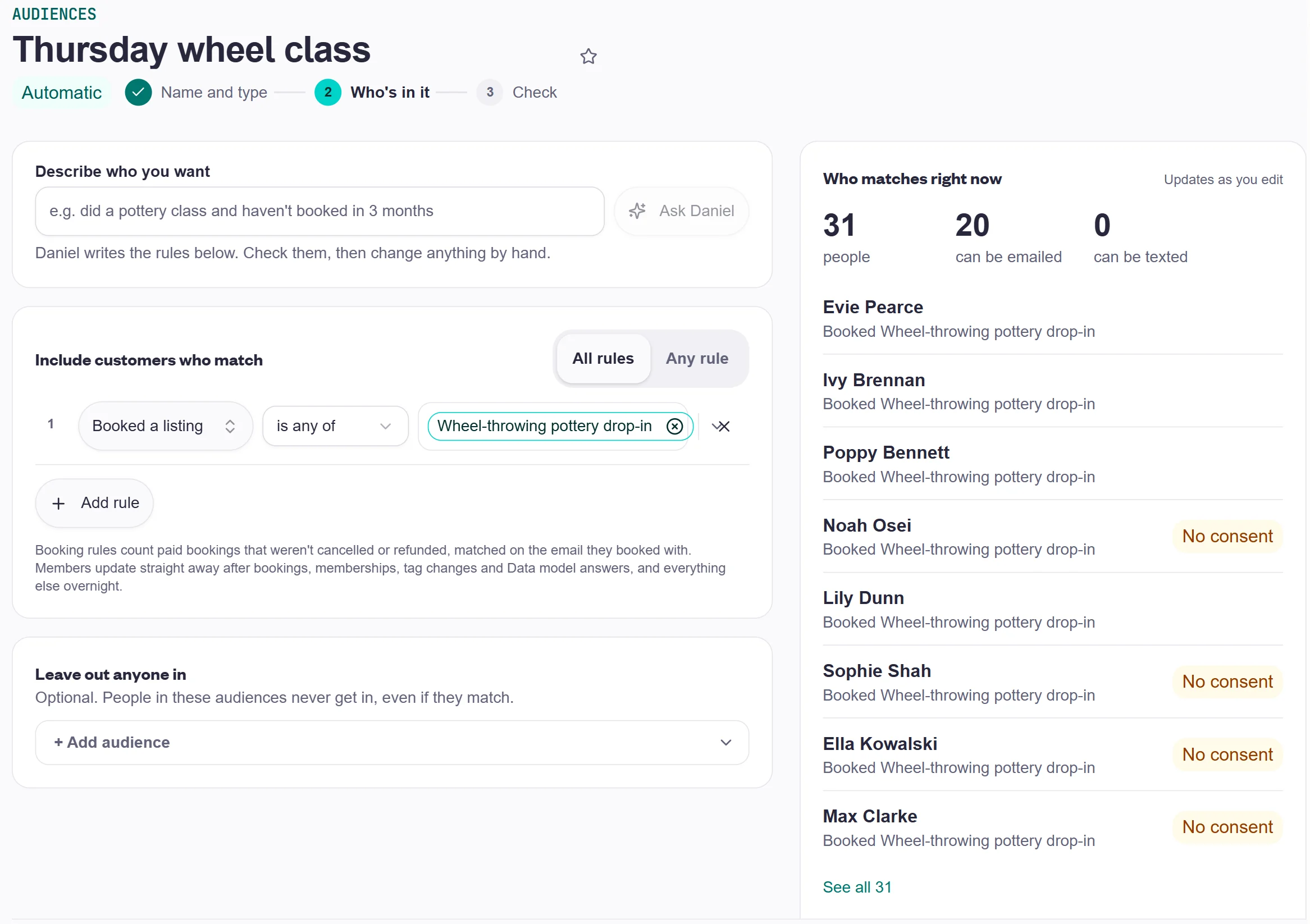
- See who matches as you go: the panel on the right counts the people, how many can be emailed and how many can be texted, and lists who's in
- Mix your rules: booking dates, number of bookings, lifetime spend, tags, memberships, marketing consent and your own Data model questions. Match all of them or any of them
- Leave people out: pick another audience whose people never get in, even if they match
- Change it whenever you like: got a rule wrong, or added a new Thursday class? Edit the rule and the audience updates
Start from a ready-made audience
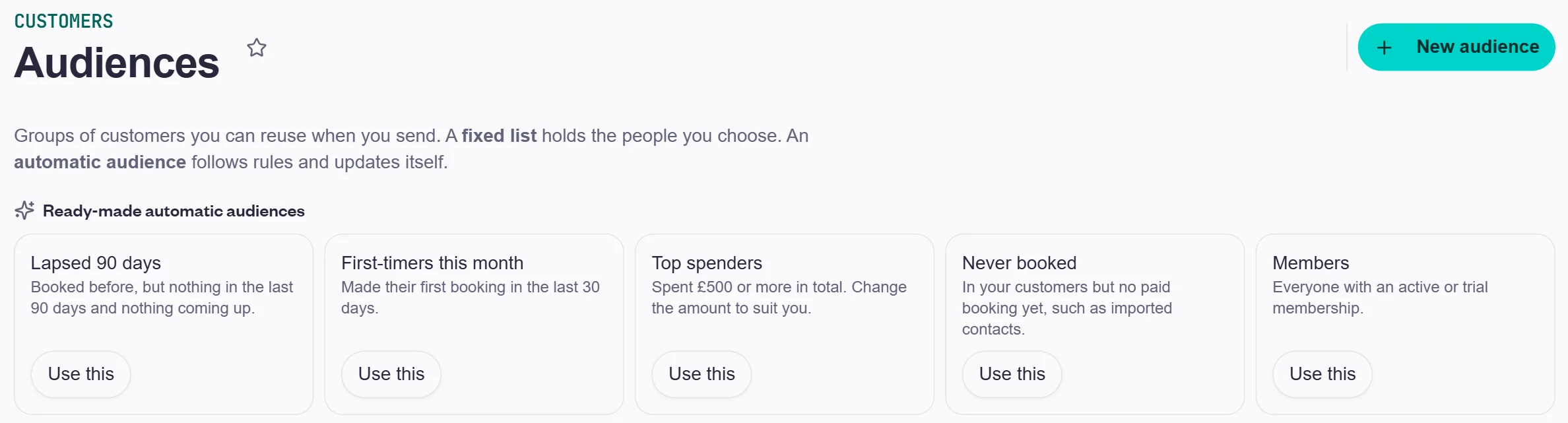
Five automatic audiences are ready to use, and you can change any of them to suit you:
- Lapsed 90 days: booked before, but nothing in the last 90 days and nothing coming up
- First-timers this month: made their first booking in the last 30 days
- Top spenders: spent £500 or more in total
- Never booked: in your customers but no paid booking yet, such as imported contacts
- Members: everyone with an active or trial membership
Send it a newsletter, or take it anywhere
Every audience has Send a newsletter and Export CSV at the top. Write to your Thursday crowd from Baluu, or download the list and use it in Gmail or whatever you like. You can also pick an audience when you set up an automation, so something happens when a customer joins it, or limit an offer or a ticket to it. The audience page shows everywhere it's used.
Try it
Open Customers → Audiences in your dashboard, pick a ready-made audience or make your own, and let it do the remembering.
— Vitor and the Baluu team
- audiences
- customers
- newsletters